- Industry
- Education
- Product type
- Mobile application
- Period
- 2026
- Platforms
- iOS, Android, API
- Services
- Cross-platform ApplicationsBackend Systems
- Technology
- Flutter · Dart · BLoC/Cubit · GoRouter · Dio · GetIt · Hive · Socket.IO · Mapbox · NestJS · TypeScript · MongoDB
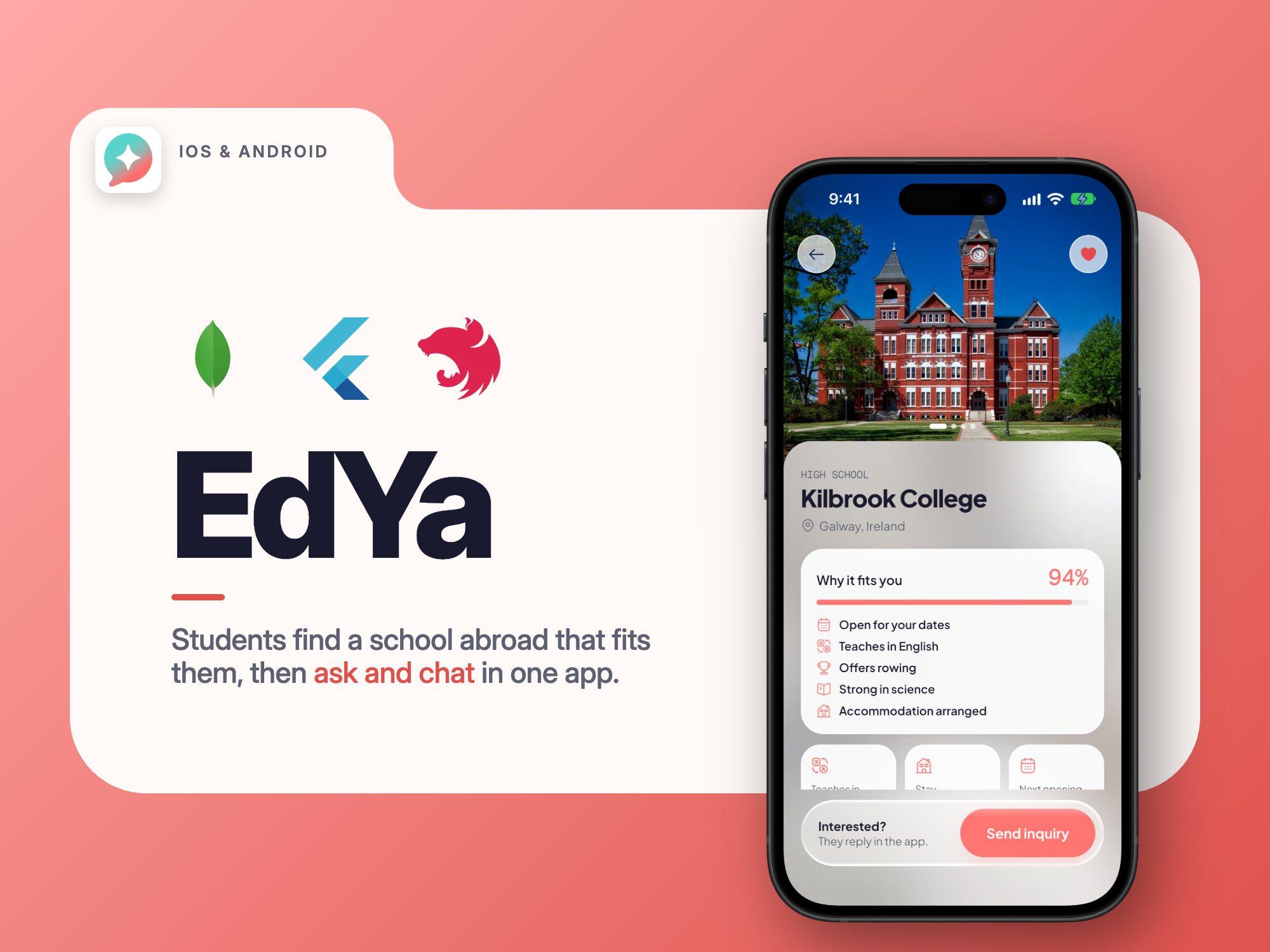
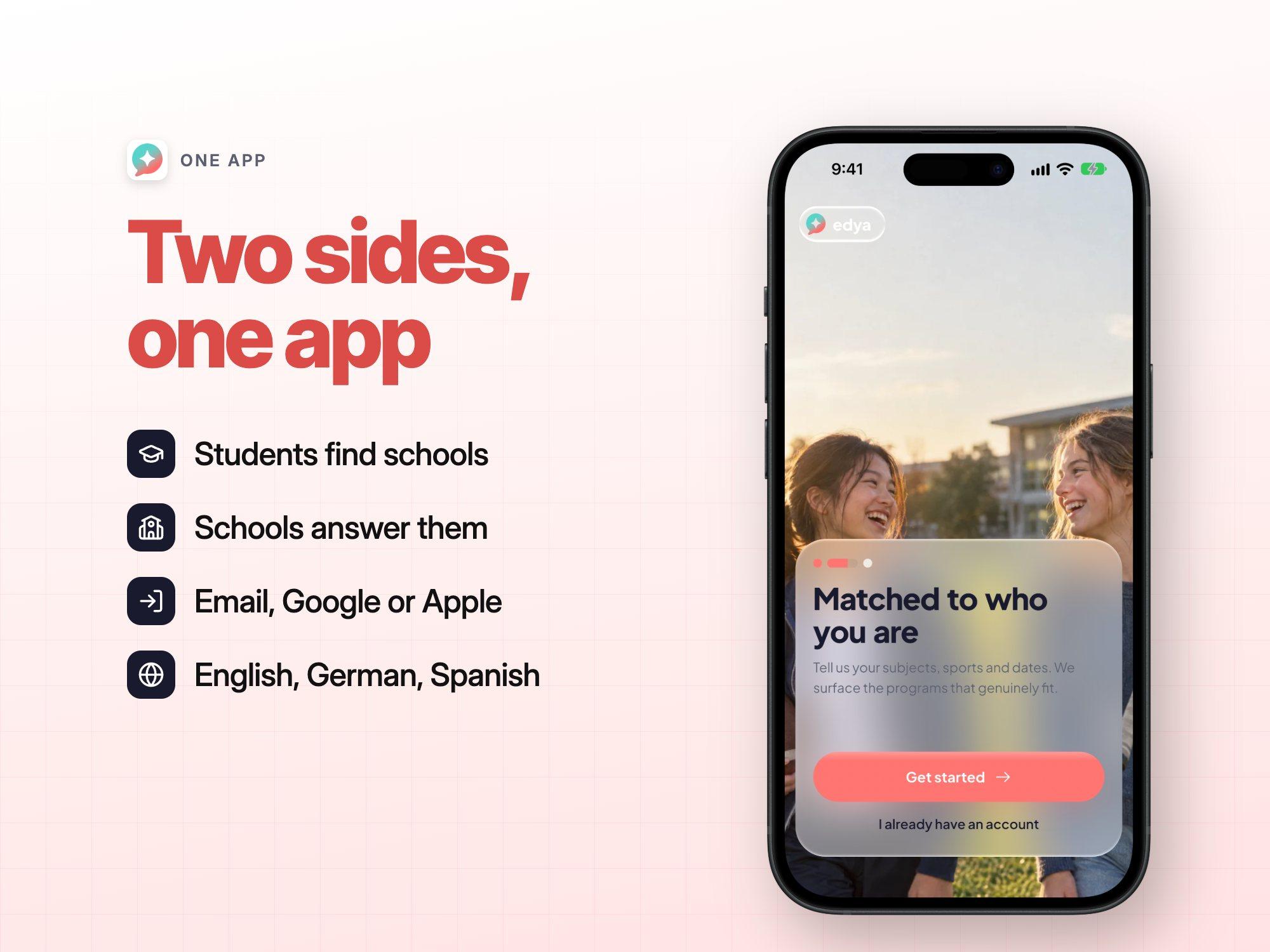
A secondary-school student planning an exchange term, a summer course or an academic year abroad builds a short profile and gets schools ranked by how well they fit, with the reasons shown. They send an inquiry and talk to the school in the app. On the other side, schools publish their own listing and accept or decline what comes in. The app is built and not yet published in the app stores.
- What we did
- Built the Flutter app with a student side and a school side, in English, German and Spanish, and the NestJS and MongoDB backend behind it, including the real-time chat.
- Outcome
- Built and not yet in the app stores. One app serves both sides of an exchange, and every inquiry a student sends opens a conversation with the school.
Draft write-up. The product and the screens are real; this account of the work is a draft awaiting review by the team who built it, and by the client.
The problem
A year abroad starts with a hundred browser tabs
A teenager who wants a term at a school abroad has to work out which schools take exchange students on their dates, teach in a language they can follow, and offer the sport or subject they care about. That answer is spread across school websites, agency brochures and email threads.
Schools have the opposite problem: inquiries arrive without the facts they need to say yes, so every one starts with the same round of questions.
The approach
Ask the student four questions, then rank every school against them
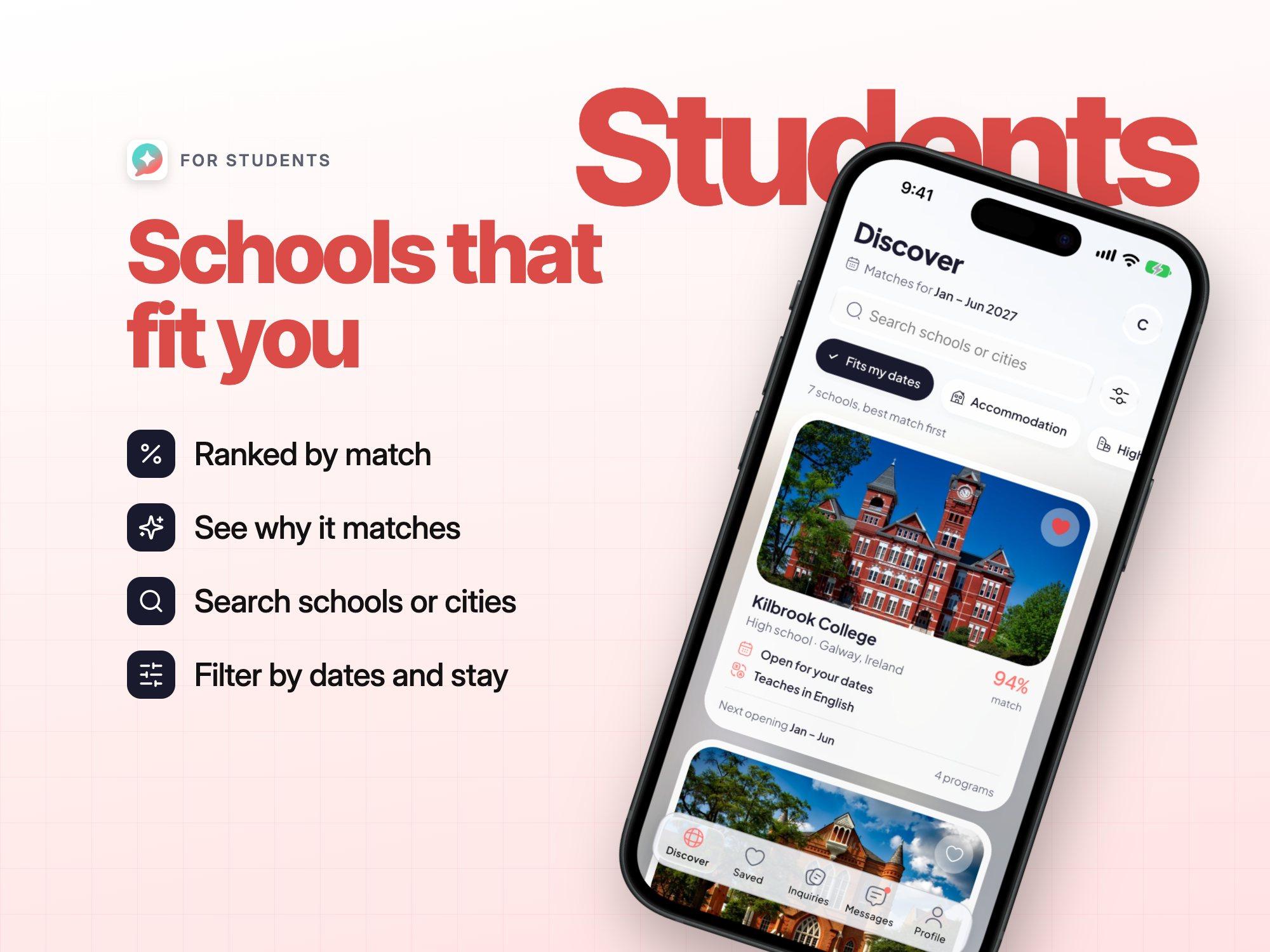
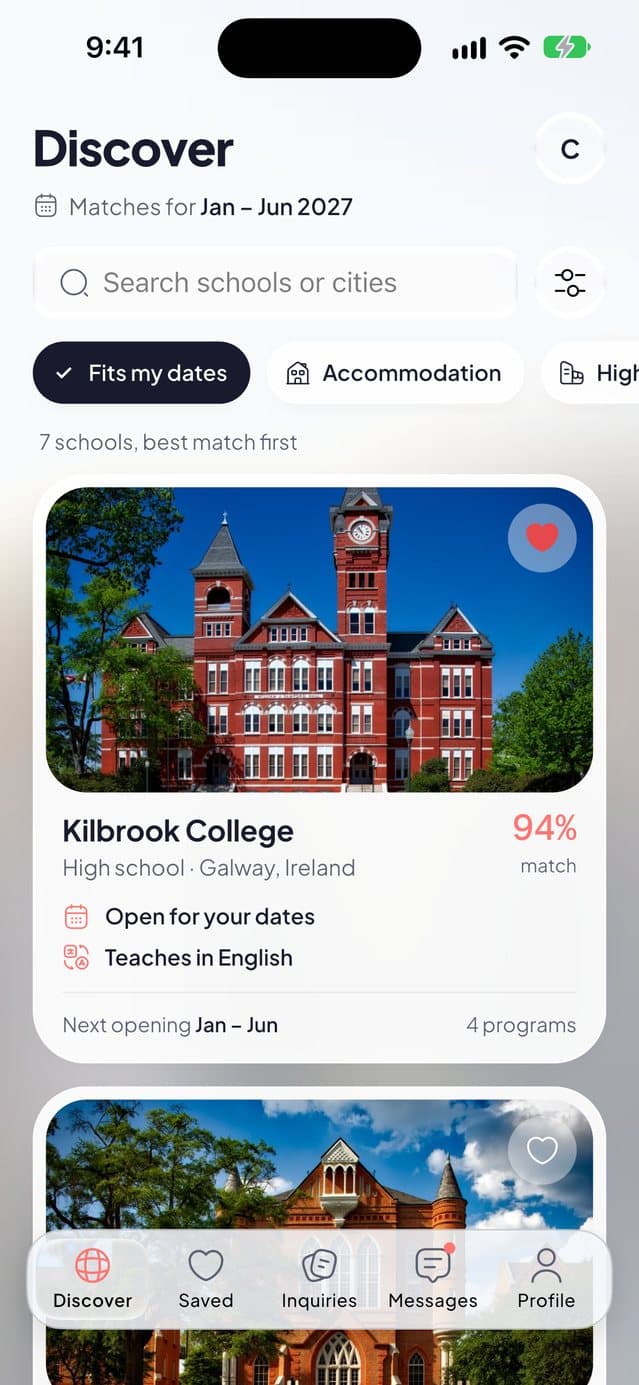
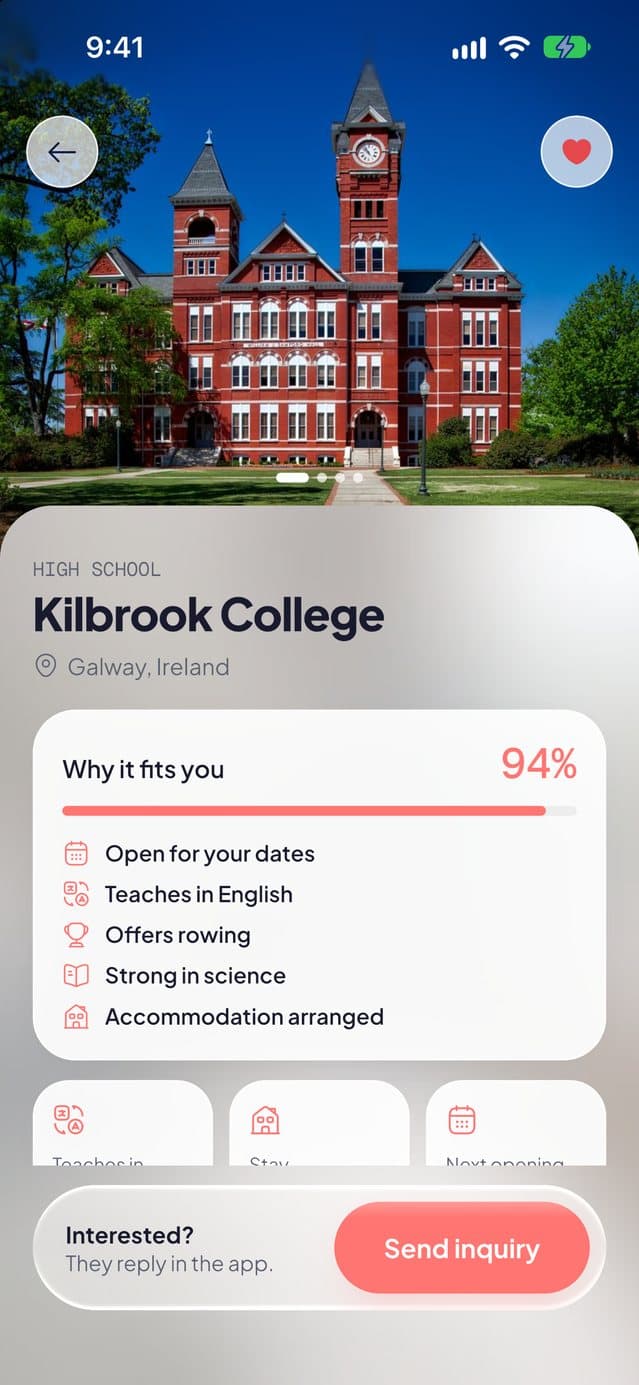
Onboarding takes four steps: languages with a CEFR level, destination countries, exchange dates, and interests across subjects, sports and culture. Discover then ranks schools by a match percentage and says why each one fits, such as open for your dates, teaches in English or offers rowing, with search and filters for country, school type, accommodation and dates.
Design
Light glass, and a profile that reads like a passport
The interface is frosted glass over soft coral backdrops. To keep scrolling smooth, live glass is limited to the bars, buttons and sheets, while cards and rows use a solid frosted surface over a pre-blurred static background.
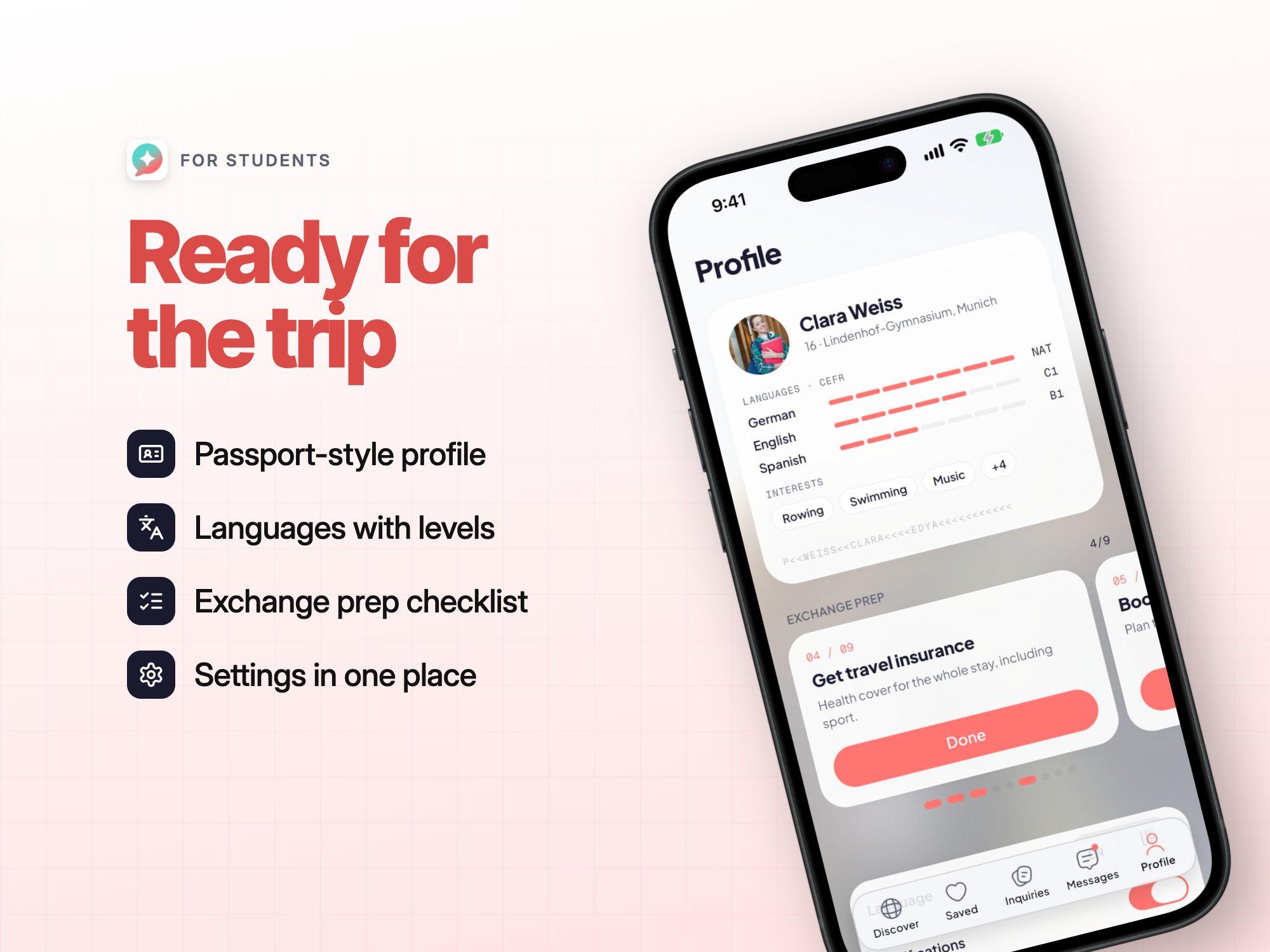
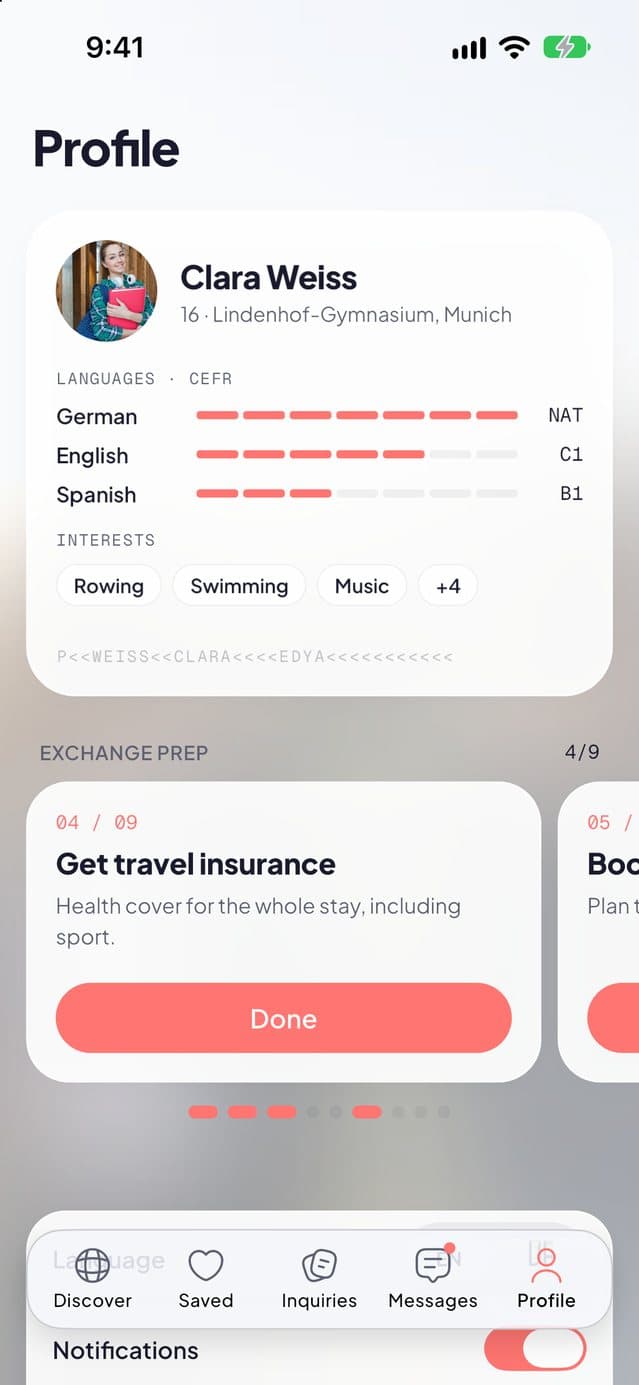
A student's profile is a passport-style card with their languages, levels and interests, a countdown to the exchange and a checklist of what to sort out first: passport, insurance, travel.
Build
Every inquiry becomes a conversation, in real time
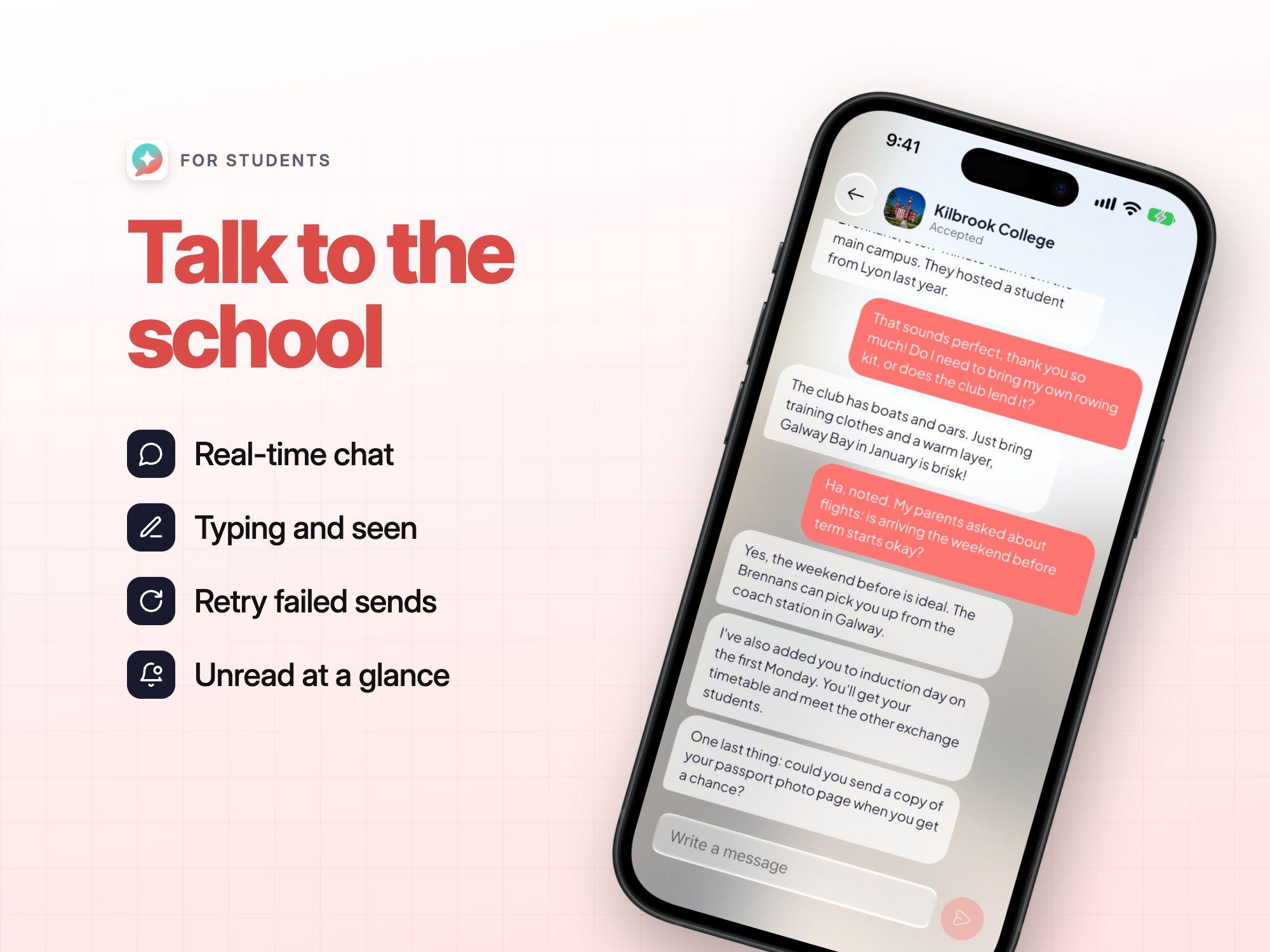
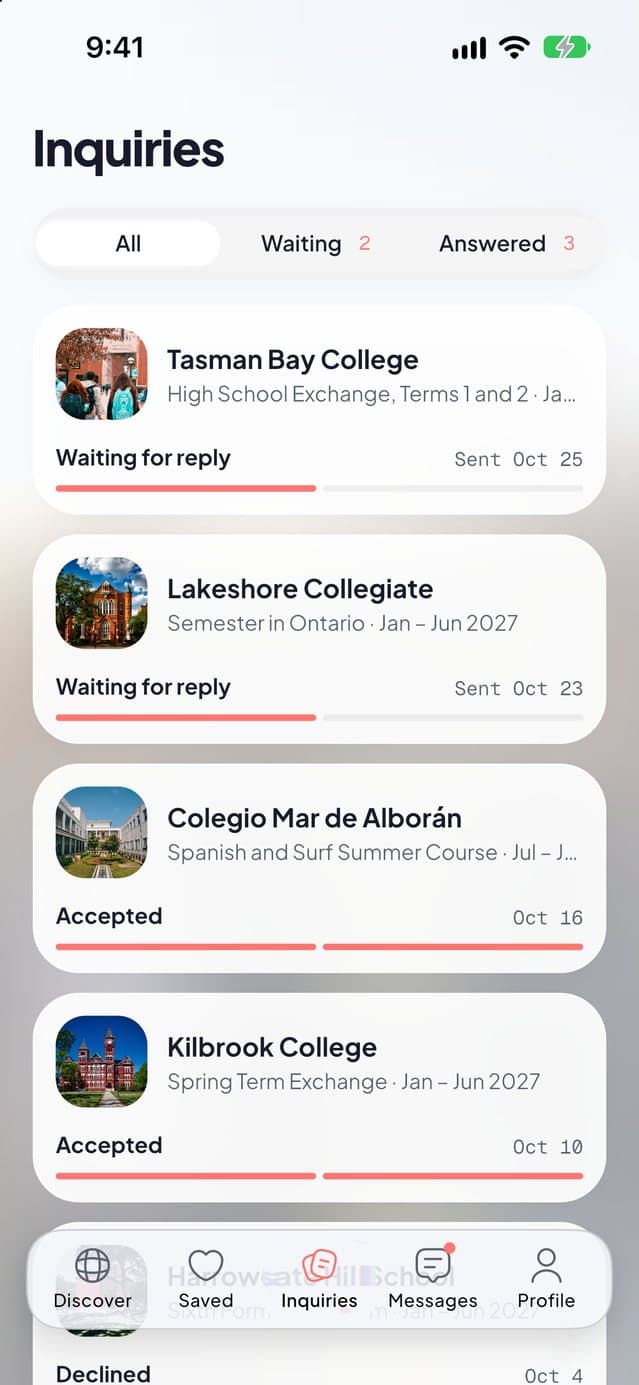
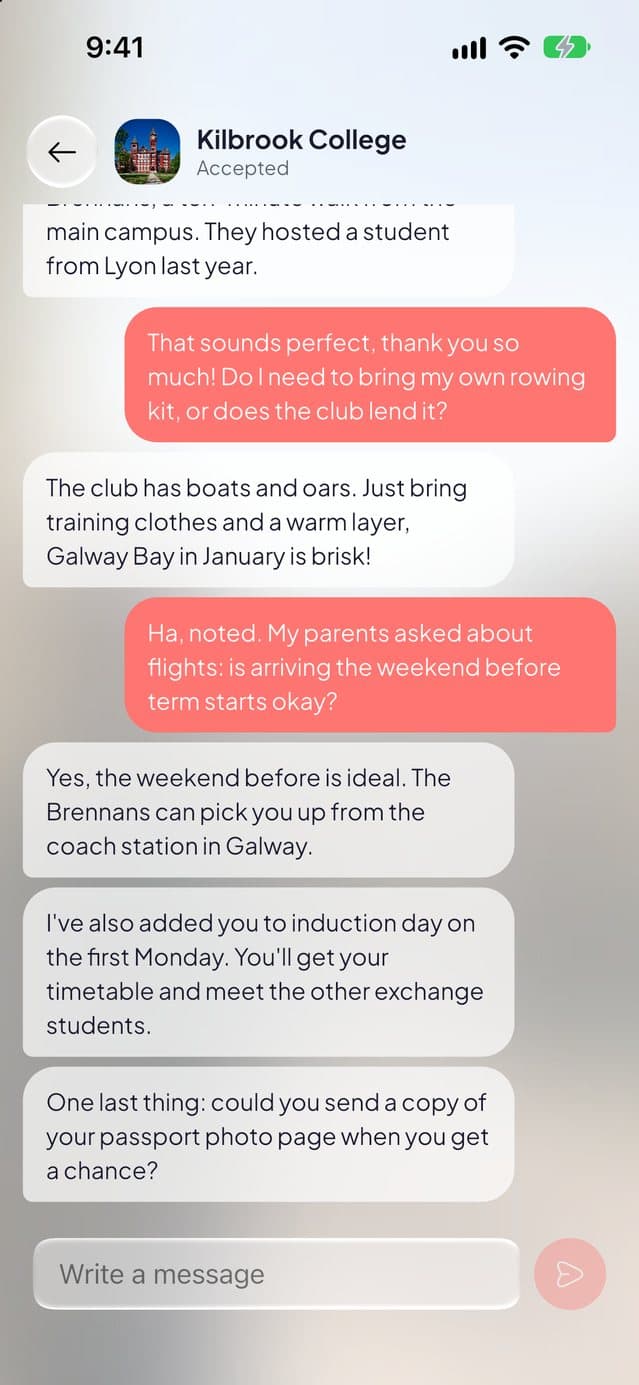
A NestJS and MongoDB backend serves the REST API and a Socket.IO gateway for chat. Sending an inquiry opens a conversation with the school, and the chat shows unread dots, typing, a Seen state and a retry for any message that failed to send.
The Flutter app is split by feature into data, domain and presentation layers, with Cubit for state and three build flavours for development, staging and production. Photos upload straight to object storage through signed URLs, and sign-in works by password, a six-digit email code, Google or Apple.
Result
Schools get a listing and inquiries they can answer
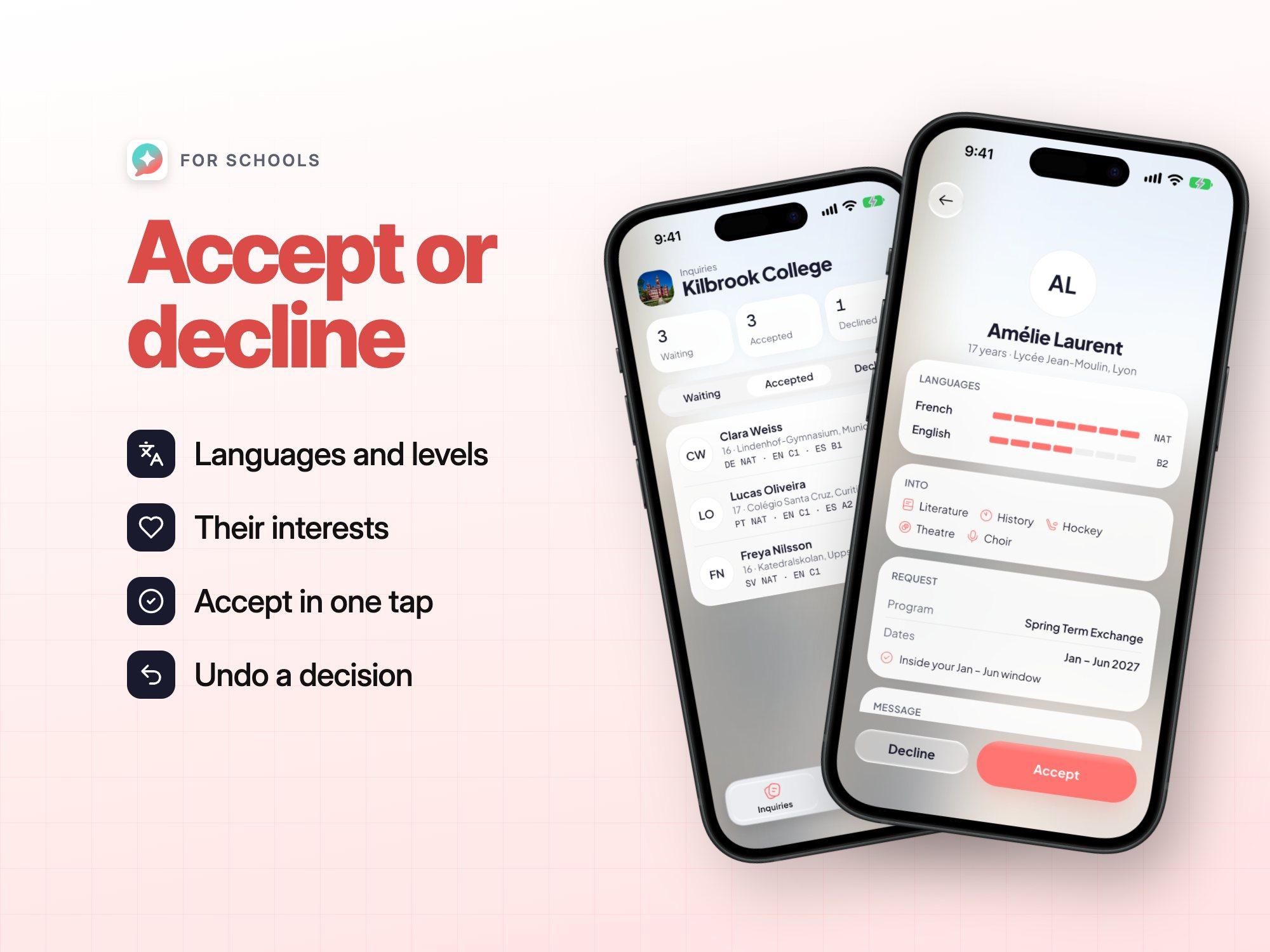
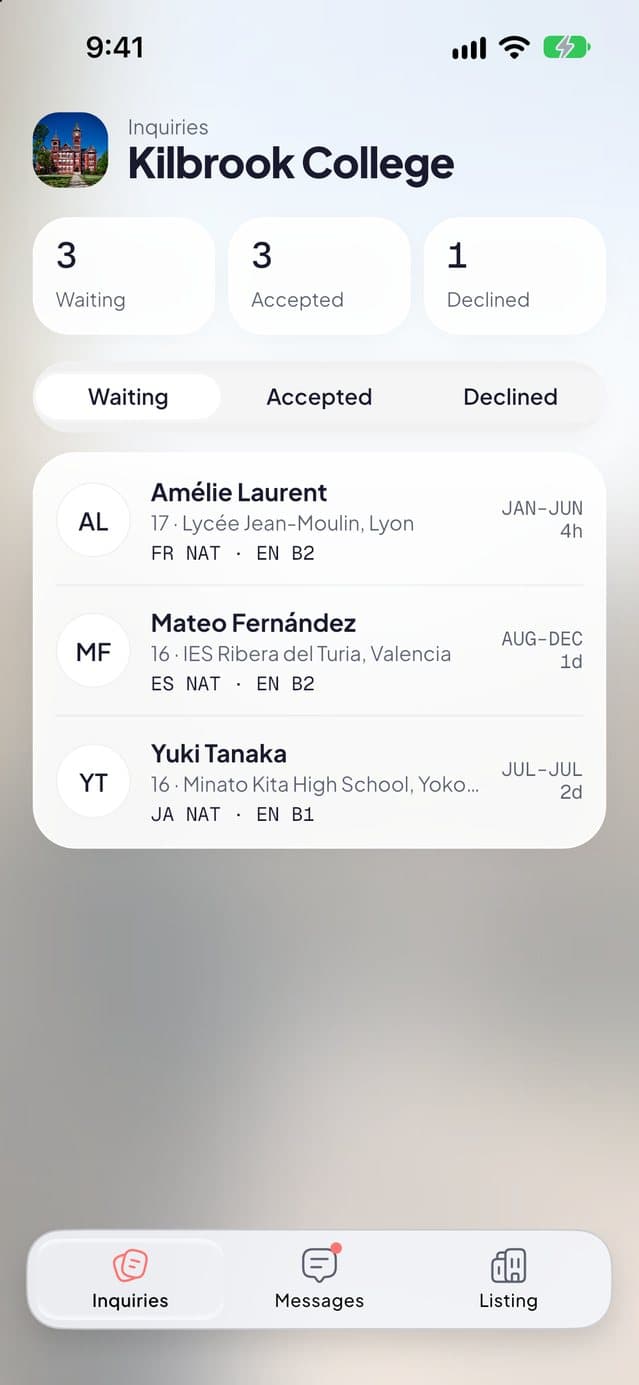
A school builds its listing in five steps, including its campus on a Mapbox map, and a listing health view shows what is still missing. Each inquiry arrives with the student's languages, levels, interests and dates, so the school can accept or decline in one tap, with undo, and a declined student is offered similar schools.
The app is built, in English, German and Spanish, and has not been published in the app stores. No usage figures are published here, because none have been measured for this site.
Inside the app
Real screens, demo data
06Book a call
Building something like this?
Book thirty minutes and we'll tell you quickly whether we're the right team for it, and roughly what it takes.
- 01You pick the slot
- 02Bring anything you have
- 03We come prepared
Your idea stays yours. Read only by the people who would build it, never reused, never passed on. Happy to sign your NDA first.
Pick a time. We'll tell you what it takes.
Thirty minutes, no pitch deck. Bring a rough idea or a finished spec, and leave with a straight answer on scope, cost and whether we're the right team.
- 01You pick the slotA live calendar, not a queue. Most people find something inside forty-eight hours.
- 02Bring anything you haveA spec, a Figma link, screenshots, a competitor you like, or nothing at all.
- 03We come preparedWe read whatever you send beforehand, so the call starts at the interesting part.
Your idea stays yours
- What you share stays between you and the people on your project.
- We never reuse your concept, your research or your materials elsewhere.
- Happy to sign your NDA before the call, or send ours.
We read every brief and reply within 60 minutes.
Prefer to write? with your files instead, or email abdullahmughal1976@gmail.com.