- Industry
- Parenting
- Product type
- Mobile application
- Period
- Since May 2026
- Platforms
- iOS, Android
- Services
- Cross-platform ApplicationsBackend SystemsAI Integration
- Technology
- Flutter · Dart · BLoC/Cubit · GoRouter · Dio · GetIt · Hive · Socket.IO · Firebase · RevenueCat · Node.js · Express · MongoDB · Redis · Claude · Gemini
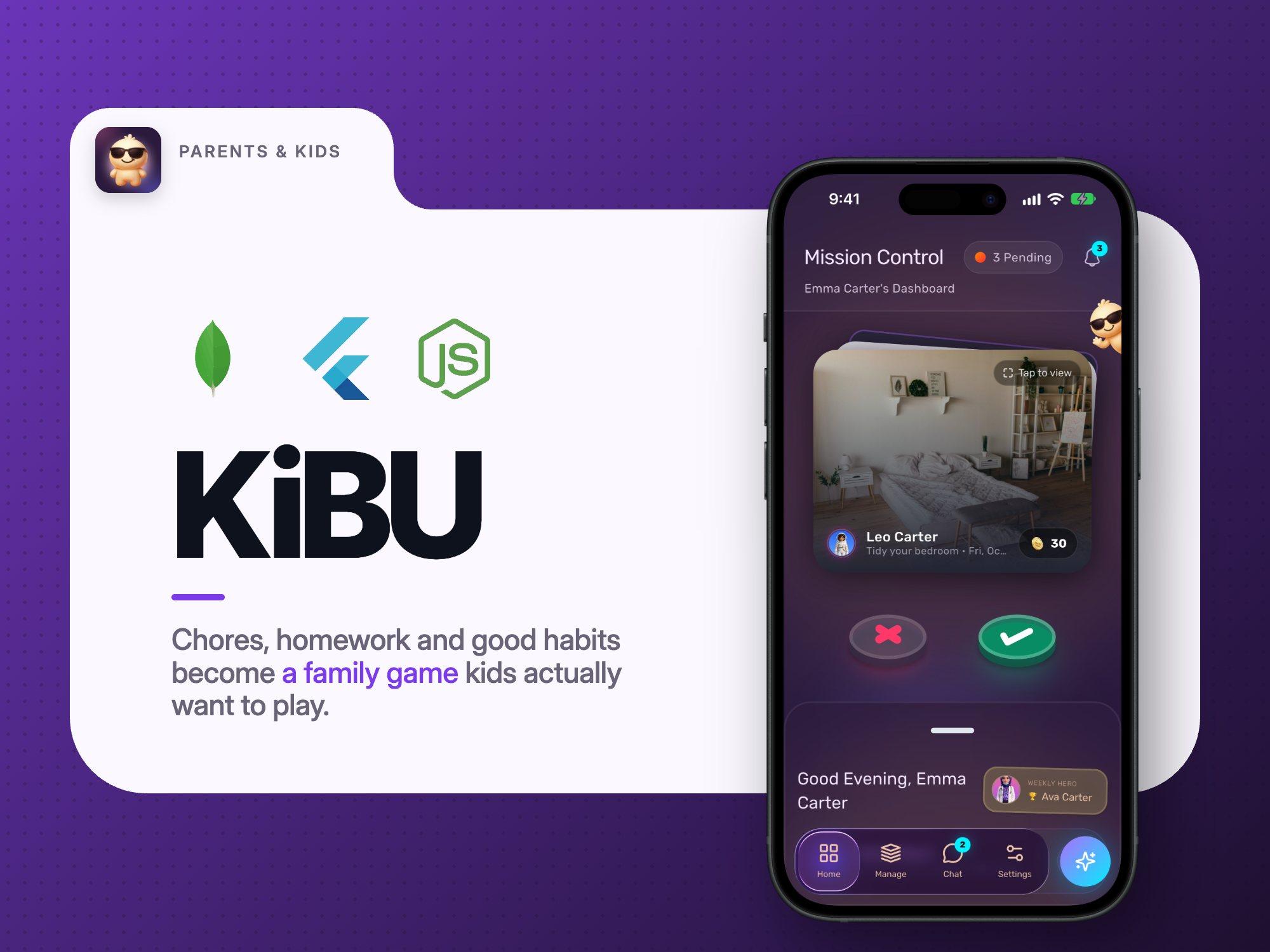
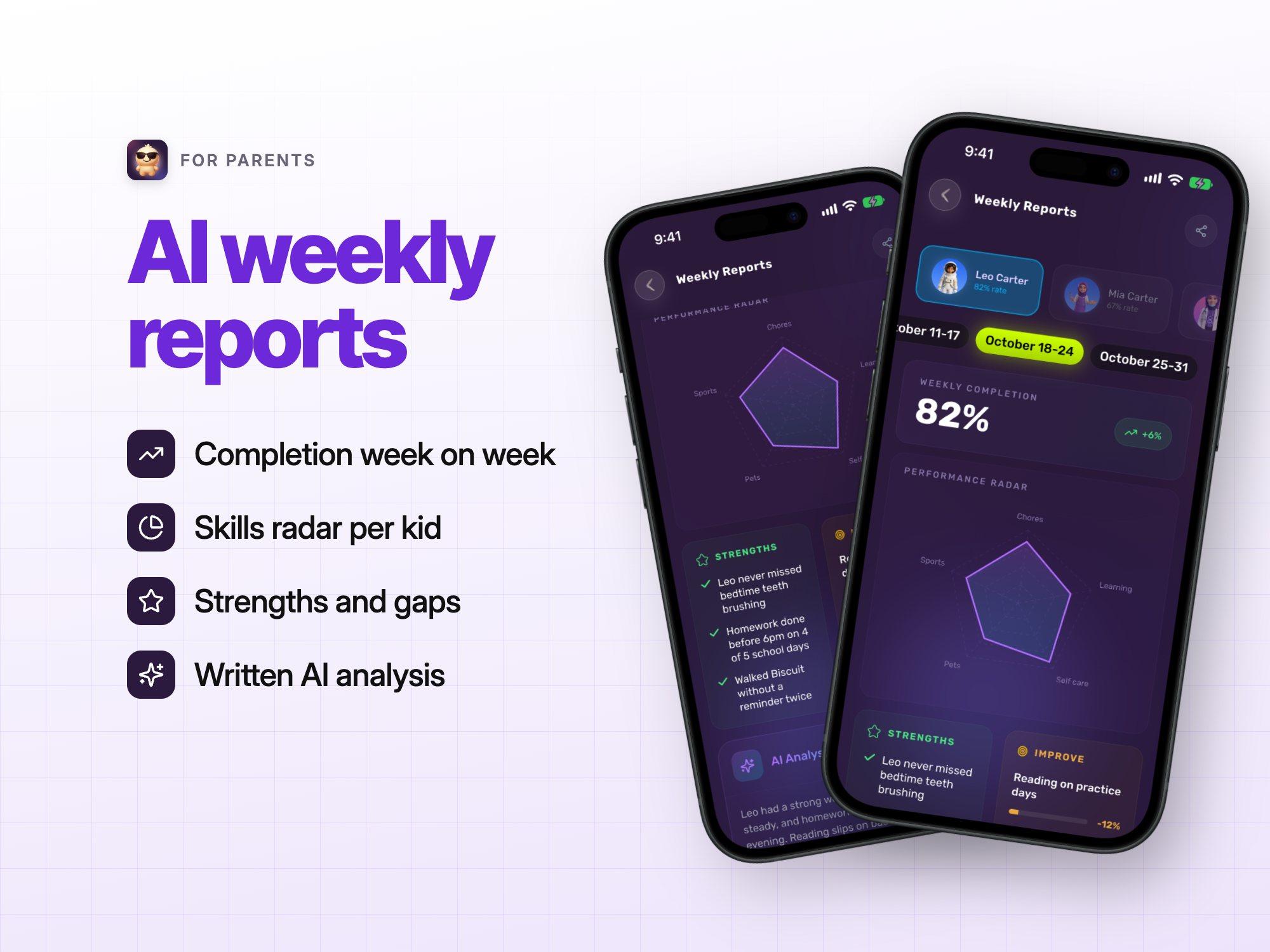
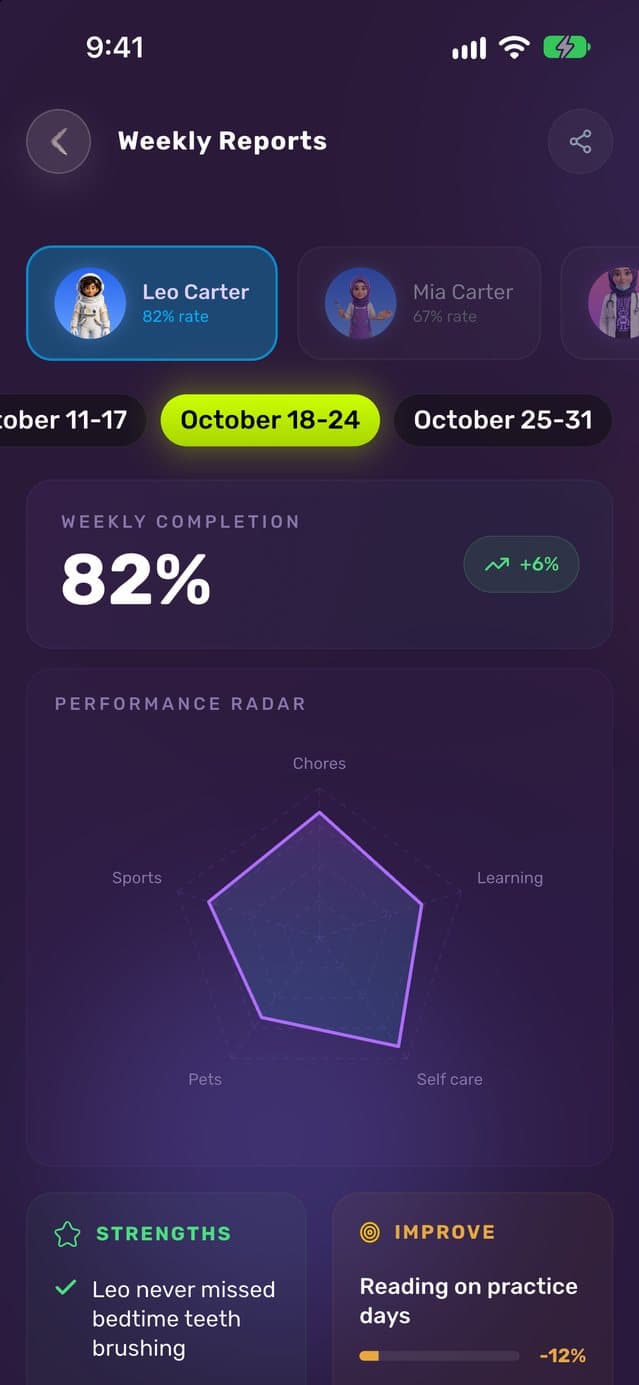
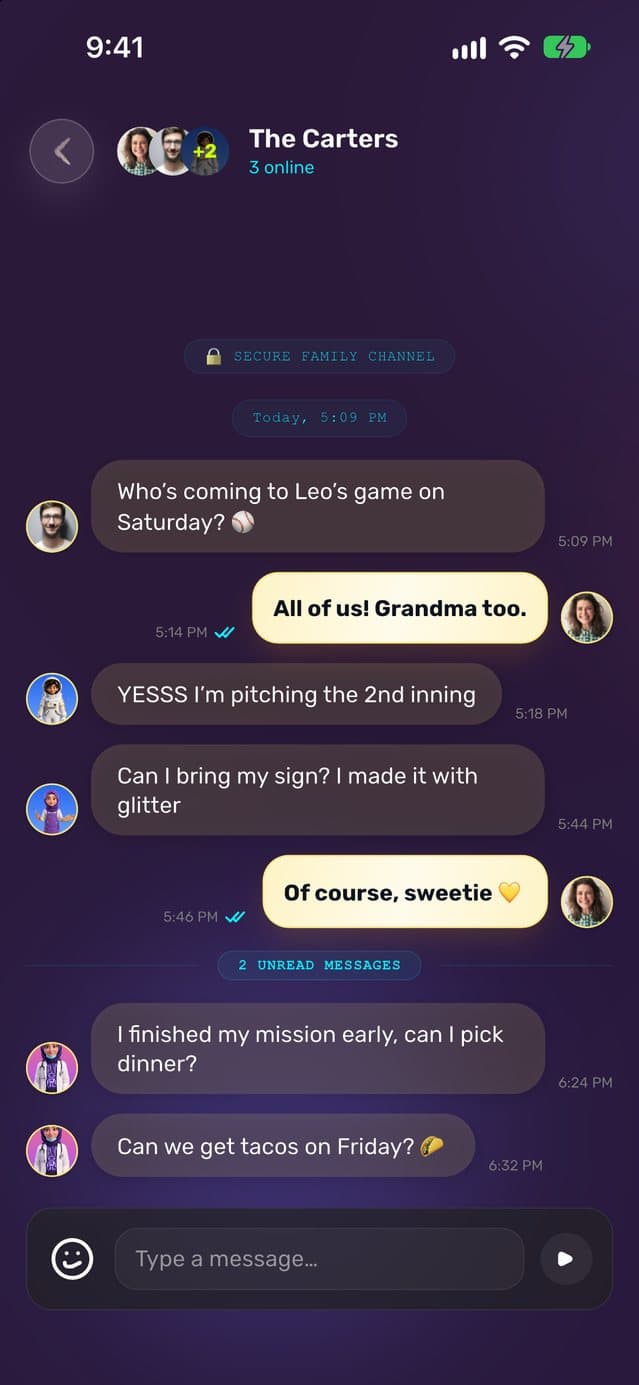
Parents set missions and price them in coins. Children complete them, send a photo when proof is asked for, and spend what they earn in a family shop. Around that loop sit daily brain games, streaks, a parent-moderated kids' club, a family chat and an AI coach that writes each child's weekly report. KiBU is live on Google Play.
- What we did
- Built the Flutter app for phones and tablets, with a parent side and a kid side, in English and Arabic, and the Node.js backend behind it: real-time events, subscriptions, push and the AI features.
- Outcome
- Live on Google Play, with the App Store version submitted. One app serves both halves of the family, often on a single phone handed from parent to child.
Draft write-up. The product and the screens are real; this account of the work is a draft awaiting review by the team who built it, and by the client.
The problem
A chore chart only works while someone keeps checking it
Asking a child to tidy their room, do their reading and feed the dog is easy once. Asking every day turns a parent into a reminder service, and the child learns that the task is finished when the nagging stops, not when the work is done.
Families also share devices. A younger child often has no phone of their own, so whatever the parent uses has to become the child's app for a few minutes and then safely turn back.
The approach
Put a price on the work and let the parent sign it off
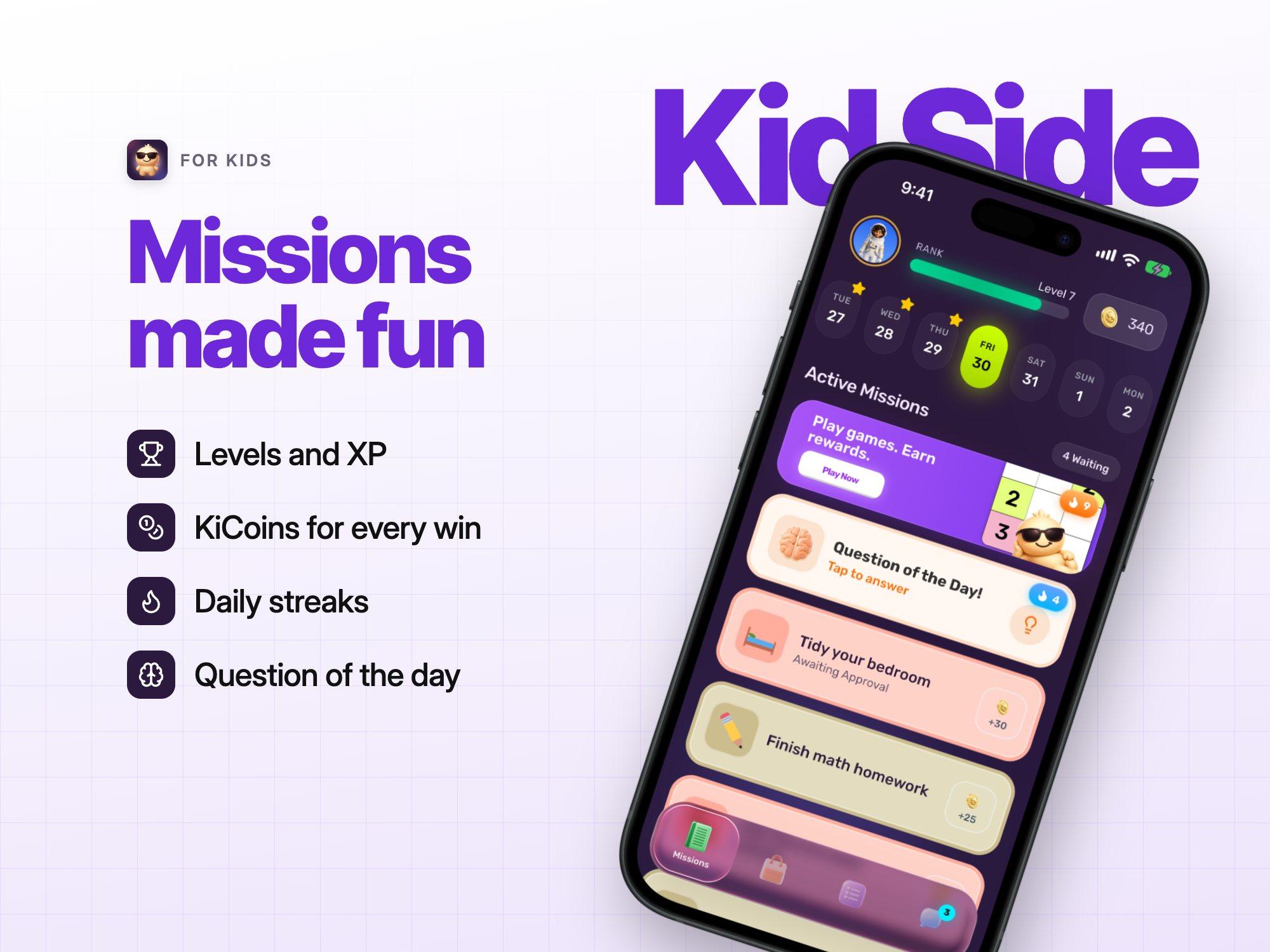
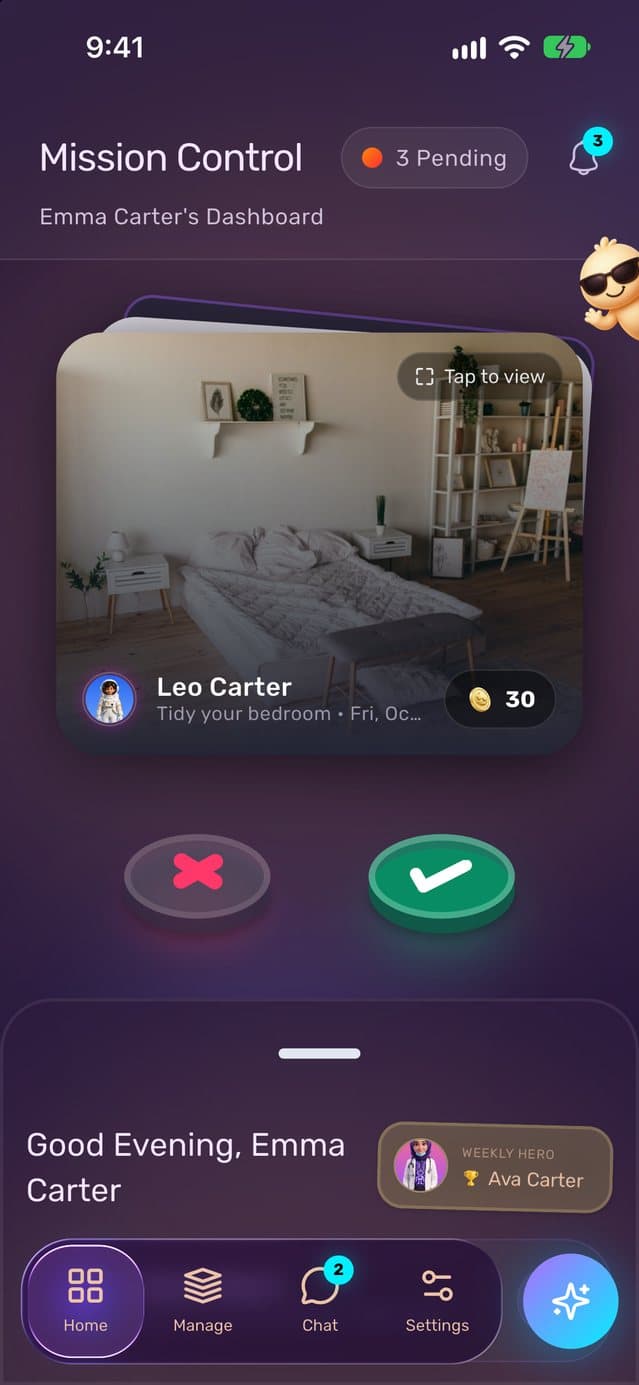
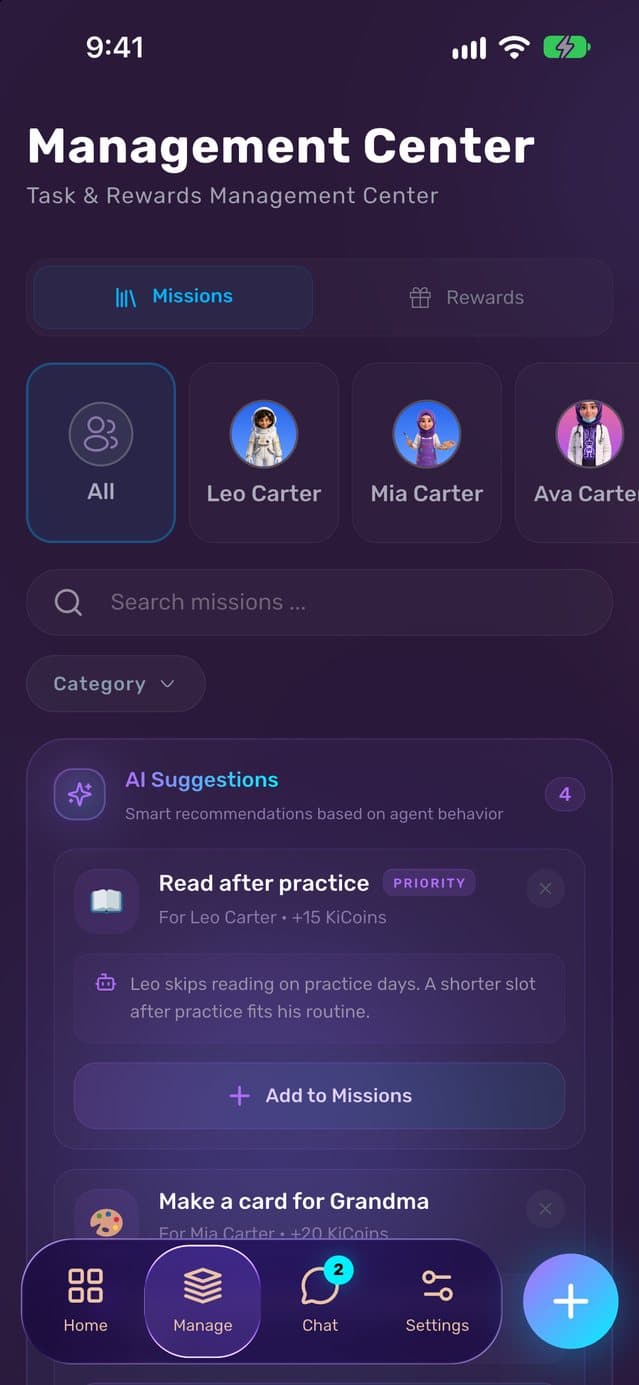
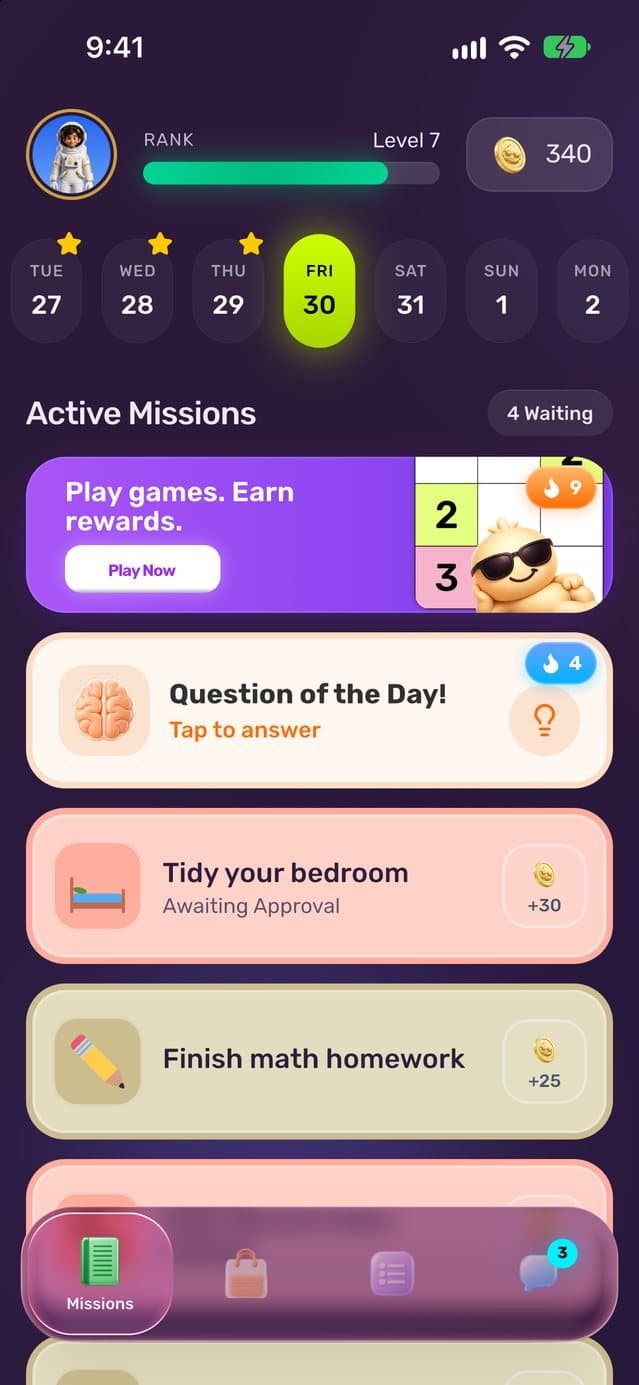
Every mission carries a coin reward, a schedule and, when the parent wants it, a photo as proof. Finishing a mission does not pay out on its own: it lands on the parent's deck as a card, and one tap approves or rejects it. The child gets a clear answer and the parent stops chasing.
The same deck holds everything else that needs a grown-up: a reward a child wants to redeem, a friend request, a post held back for review. Parents do not have to go looking for what is waiting on them.
Design
A kid side that feels like a game, not a to-do list
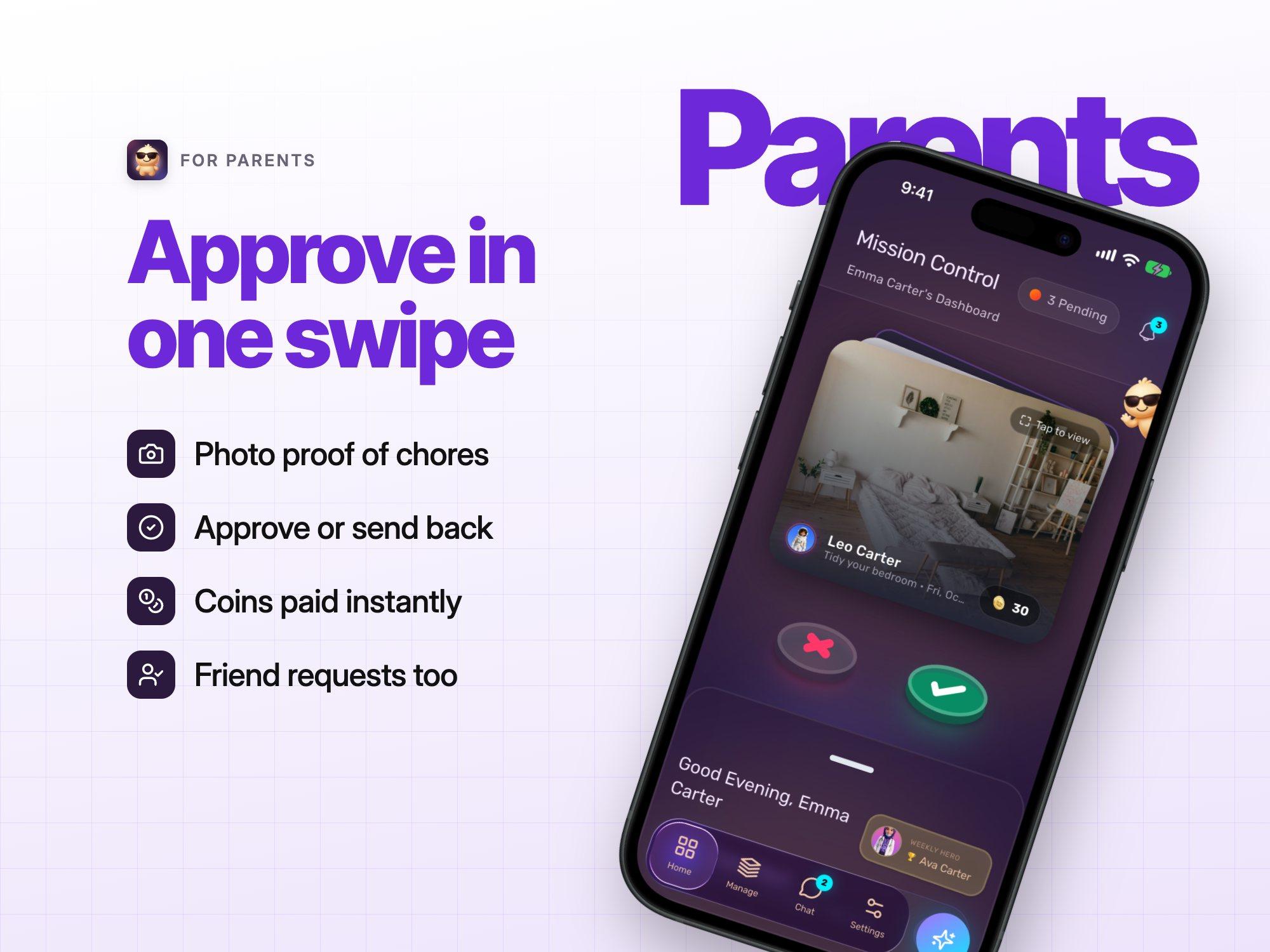
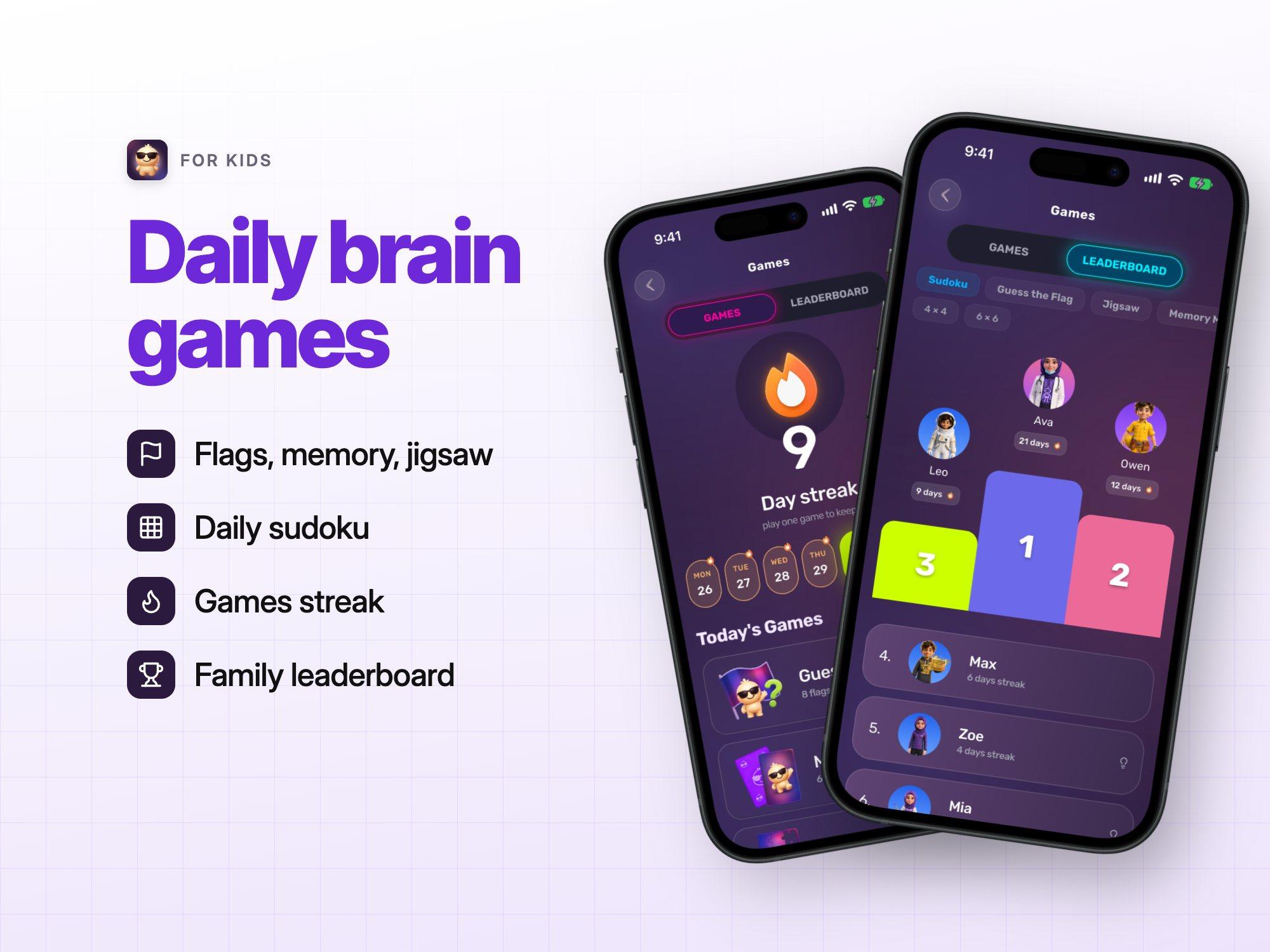
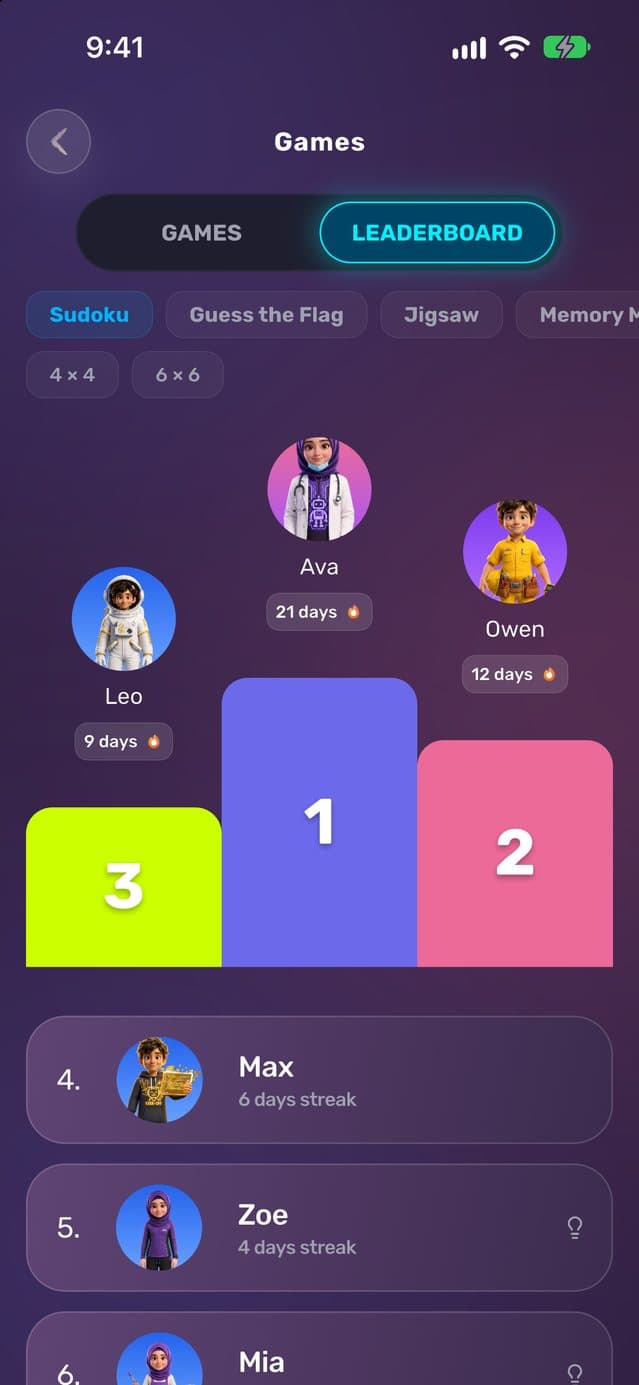
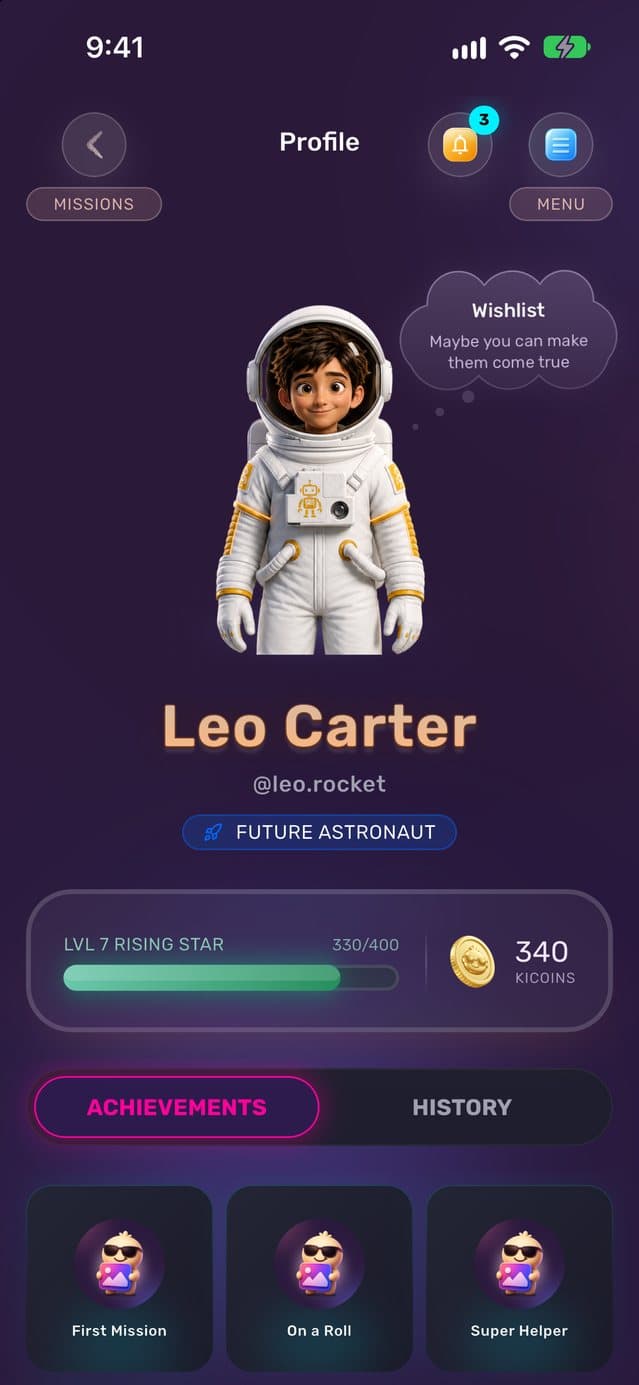
Children see levels, an XP bar, a coin balance and a strip of the days they completed this week. Four daily brain games, Guess the Flag, Memory Match, Jigsaw and Sudoku, keep their own streak with a way to repair a missed day, and a podium ranks the family and approved friends.
Coins buy real rewards the parent has set up, such as a pizza night, with a hold-to-buy gesture so nothing is spent by accident. Every purchase still goes back to a parent for approval.
Build
Two apps in one binary, kept in step in real time
The Flutter app is split by role, with separate navigation shells for parents and kids and a switch between profiles on one device. It runs on phones and tablets, in English and in right-to-left Arabic, with three build flavours for development, staging and production.
Behind it, a Node.js and MongoDB backend pushes approvals, friend requests, chat messages, presence and badges over Socket.IO, with a Redis adapter so it can scale past one server and an offline outbox so a message typed without signal is not lost. The weekly reports, mission suggestions and parenting chat are generated on the server with Claude and Gemini, from the family's own activity.
Result
A social app for children where parents hold the keys
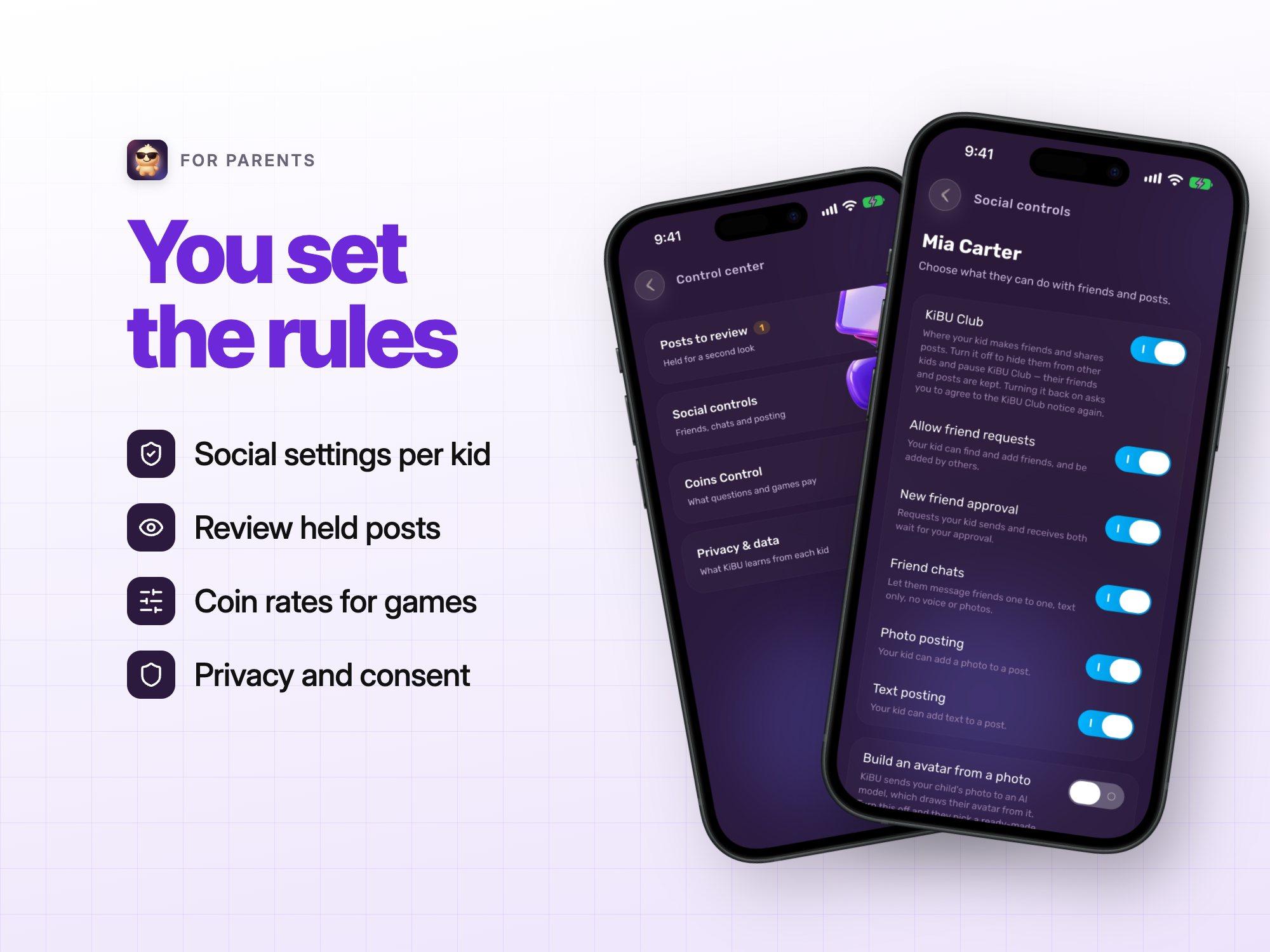
KiBU Club lets children post, react and keep a squad of friends, and every part of it answers to a parent: new friends need approval, posts that look like they share personal details are held back with the reason shown, and each social feature can be switched off per child. A child sees a safety reminder before their first chat with a friend.
The app is live on Google Play and the App Store version has been submitted. No usage figures are published here, because none have been measured for this site.
Inside the app
Real screens, demo data

06Book a call
Building something like this?
Book thirty minutes and we'll tell you quickly whether we're the right team for it, and roughly what it takes.
- 01You pick the slot
- 02Bring anything you have
- 03We come prepared
Your idea stays yours. Read only by the people who would build it, never reused, never passed on. Happy to sign your NDA first.
Pick a time. We'll tell you what it takes.
Thirty minutes, no pitch deck. Bring a rough idea or a finished spec, and leave with a straight answer on scope, cost and whether we're the right team.
- 01You pick the slotA live calendar, not a queue. Most people find something inside forty-eight hours.
- 02Bring anything you haveA spec, a Figma link, screenshots, a competitor you like, or nothing at all.
- 03We come preparedWe read whatever you send beforehand, so the call starts at the interesting part.
Your idea stays yours
- What you share stays between you and the people on your project.
- We never reuse your concept, your research or your materials elsewhere.
- Happy to sign your NDA before the call, or send ours.
We read every brief and reply within 60 minutes.
Prefer to write? with your files instead, or email abdullahmughal1976@gmail.com.