Human resources
Codeable HR
Attendance, leave, daily reports and payroll for a whole software company, in one app
- Industry
- Human resources
- Product type
- Mobile application
- Period
- Jan to Oct 2026
- Platforms
- iOS, Android
- Services
- Cross-platform ApplicationsBackend Systems
- Technology
- Flutter · Dart · BLoC/Cubit · GoRouter · Dio · GetIt · Hive · Firebase Cloud Messaging · Node.js · Express · MongoDB · AWS S3
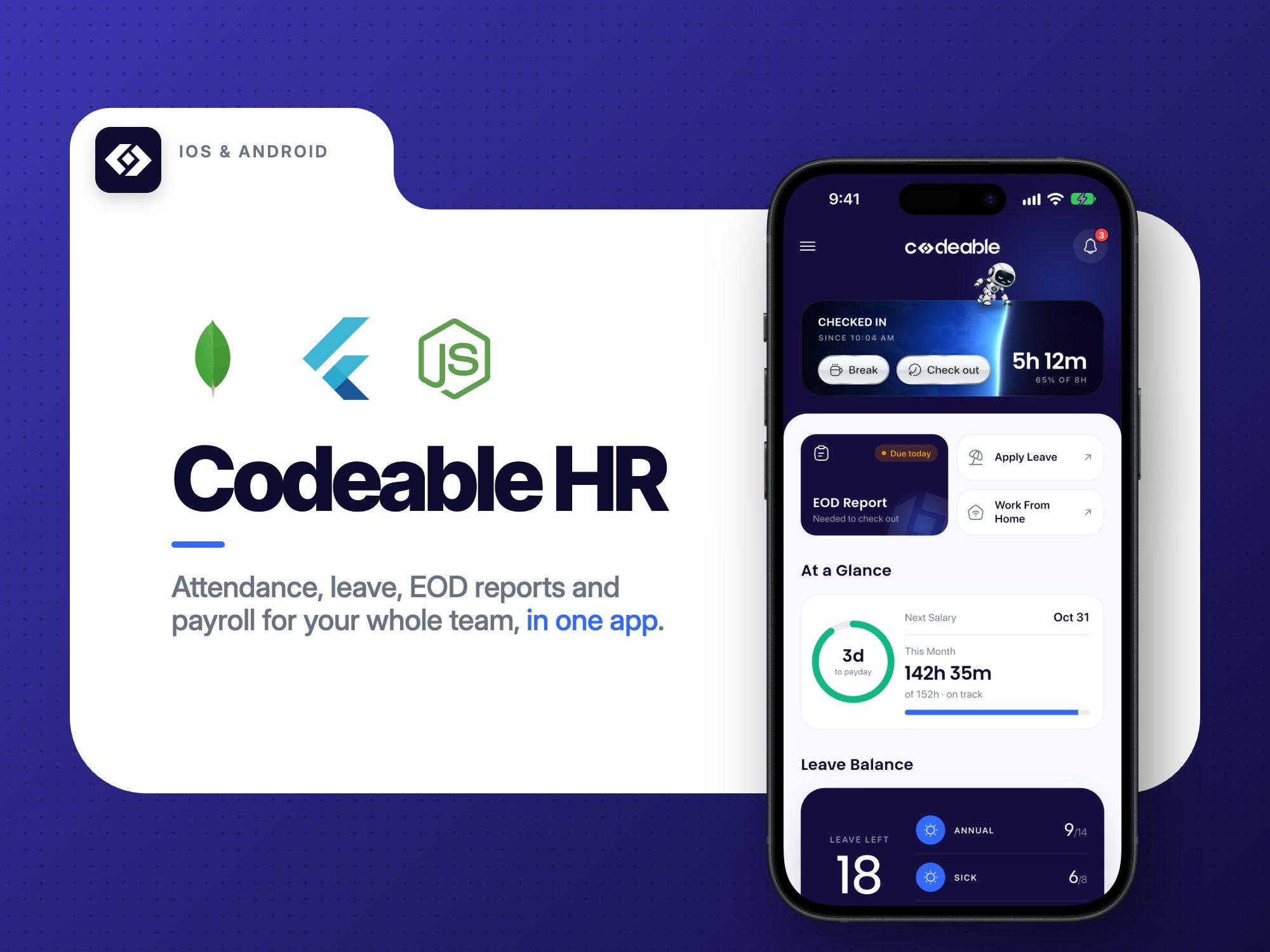
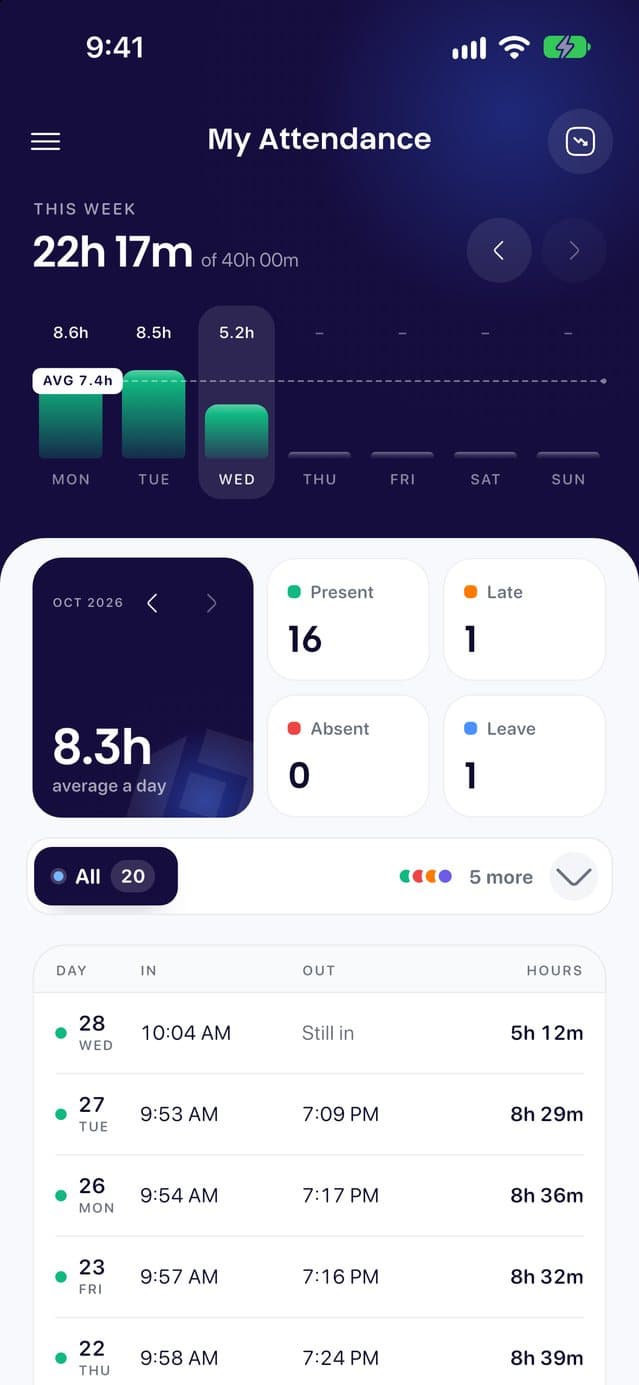
Codeable's in-house HR app. Staff check in and out, take breaks, apply for leave and send an end-of-day report from their phone. Department heads read their team's reports and approve leave, HR runs attendance and the monthly payroll, and admins see the company's treasury and spending, all inside the same app. Codeable HR is live on the App Store and Google Play.
- What we did
- Built Codeable's in-house HR app in Flutter, with separate spaces for employees, team leads, HR and admins, and the Node.js and MongoDB backend behind it: authentication, scheduled jobs, file uploads and push notifications.
- Outcome
- Live on the App Store and Google Play. One app carries a whole company's working day, from the first check-in to the month's payroll.
Draft write-up. The product and the screens are real; this account of the work is a draft awaiting review by the team who built it, and by the client.
The problem
A working day leaves its record in too many places
In a software company, the hours someone worked, the leave they asked for, what they got done today and what they are owed at the end of the month all describe the same person. When each lives in its own sheet or chat thread, HR spends the end of every month reconciling them by hand.
The people involved also need very different things from the same data: an engineer wants to check in and get back to work, a team lead wants to know what the team shipped, HR wants a clean payroll and an admin wants to know where the money went.
The approach
One app, four ways in
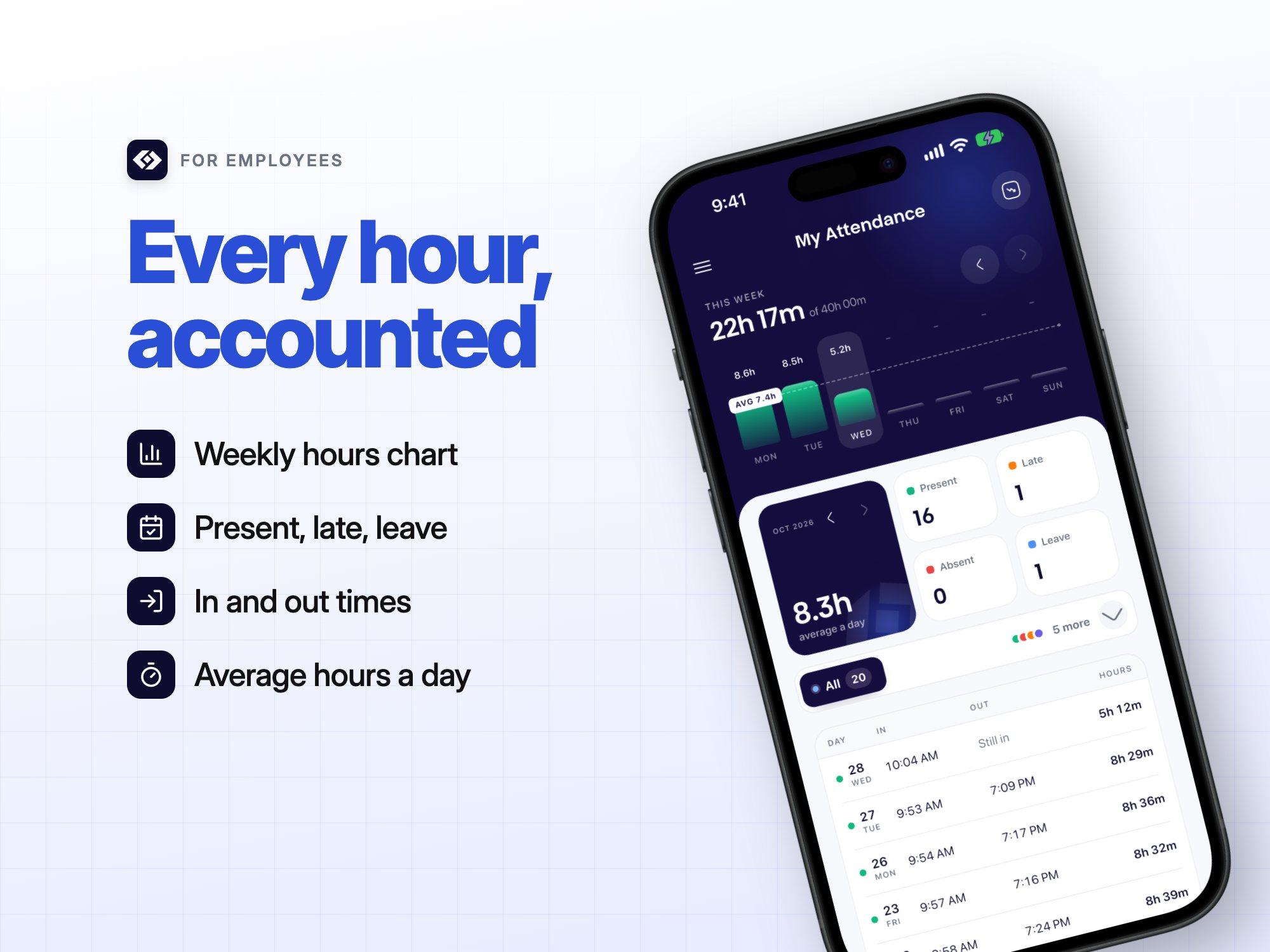
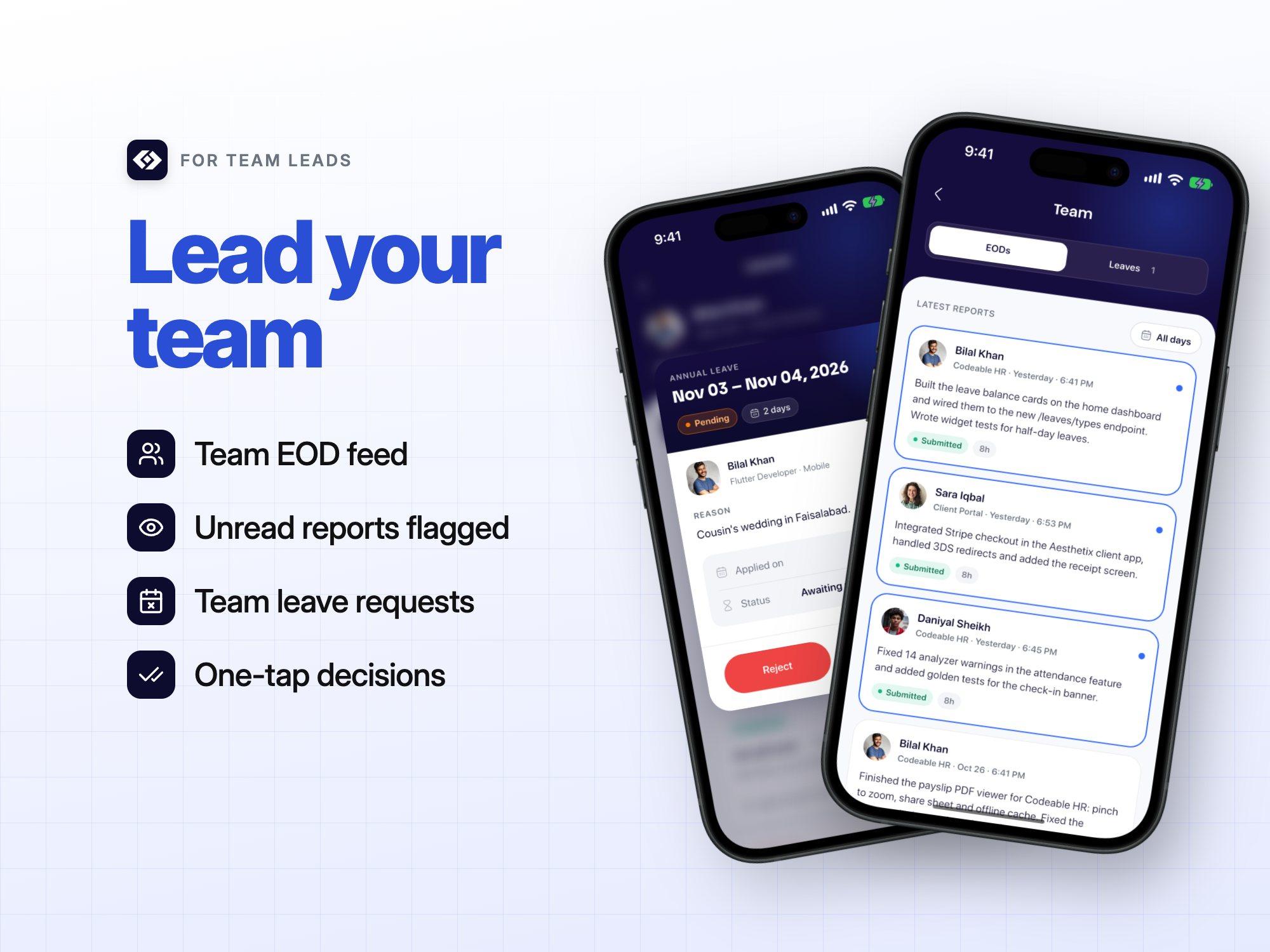
Everyone installs the same app and signs in with their Google account. What they see depends on who they are: employees get their own day, HR adds people, attendance logs, departments and payroll, and admins add the company's finances. Each role has its own drawer, so nobody scrolls past tools that are not theirs.
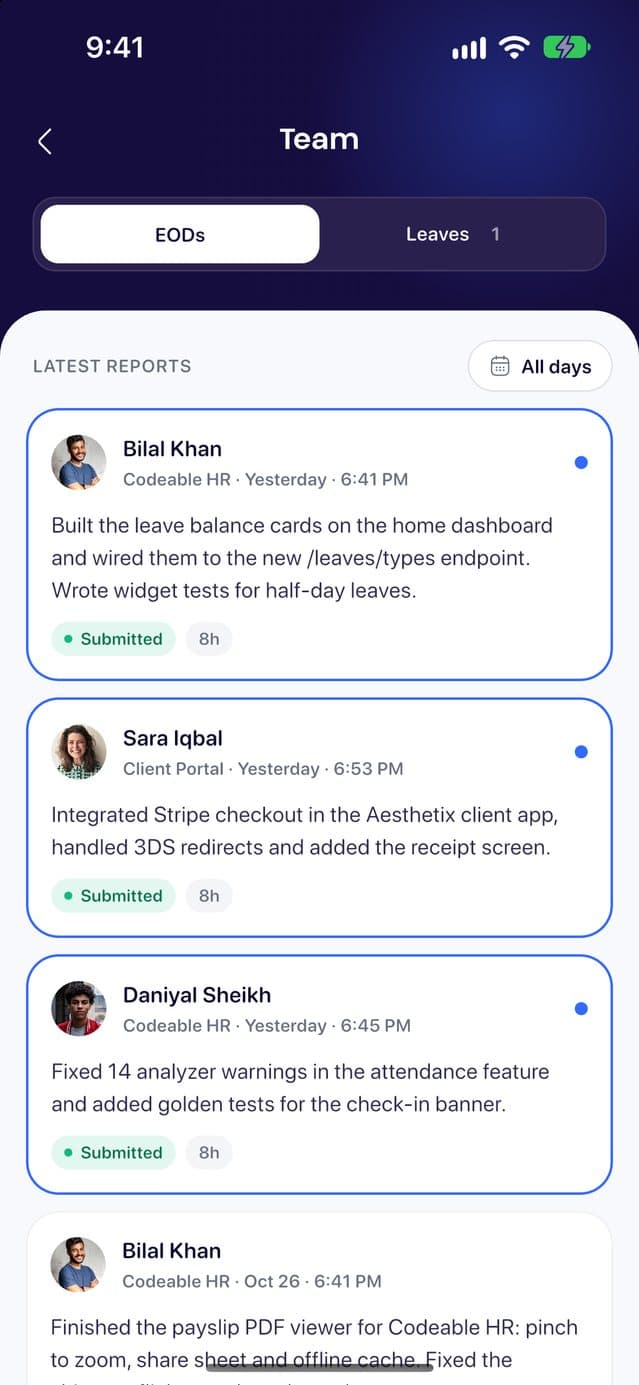
A team lead is not a fourth login. An employee who heads a department simply gains a Team hub, with the team's end-of-day reports and leave requests, on top of their own day.
Design
The everyday tasks take seconds, not forms
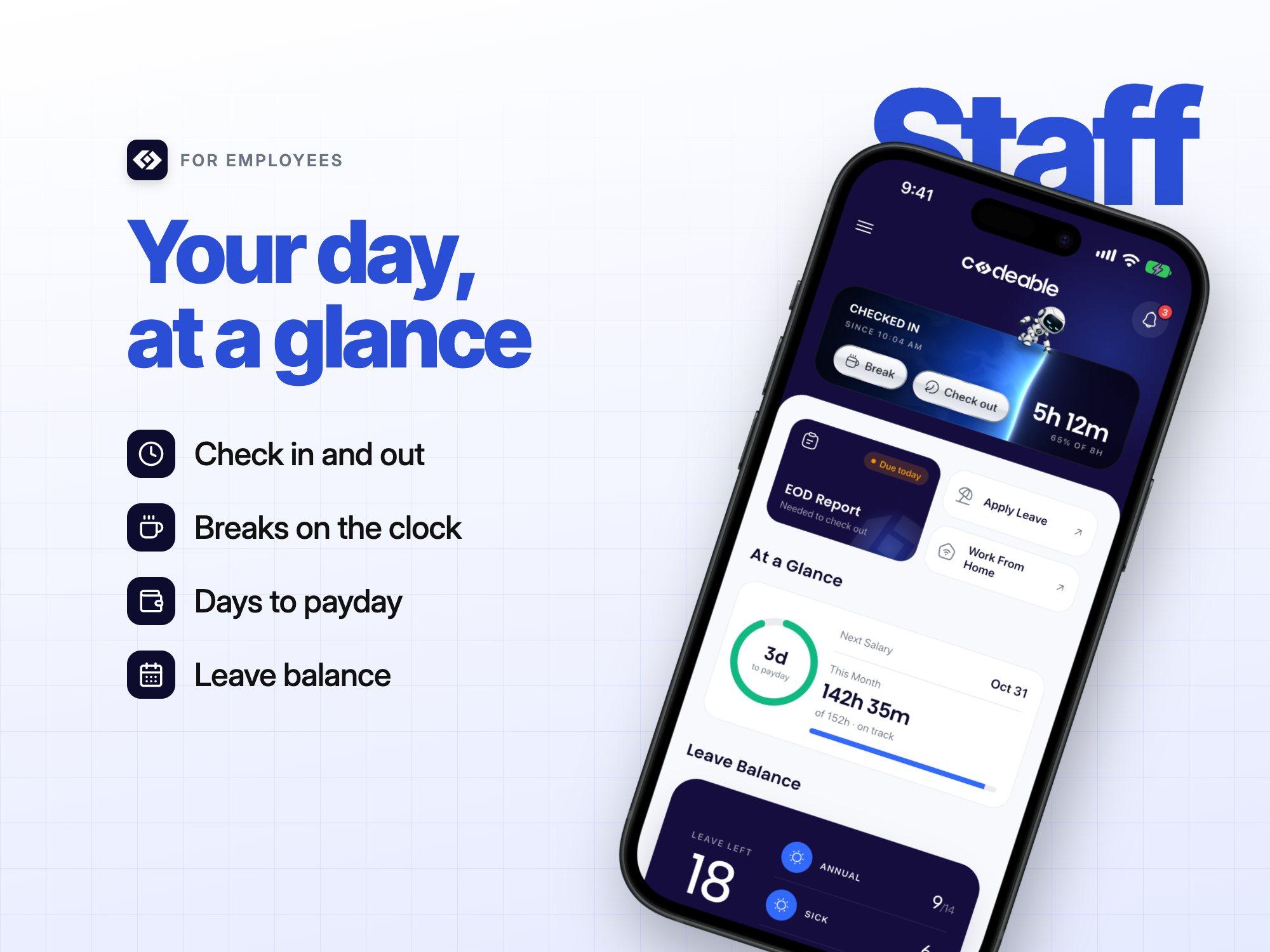
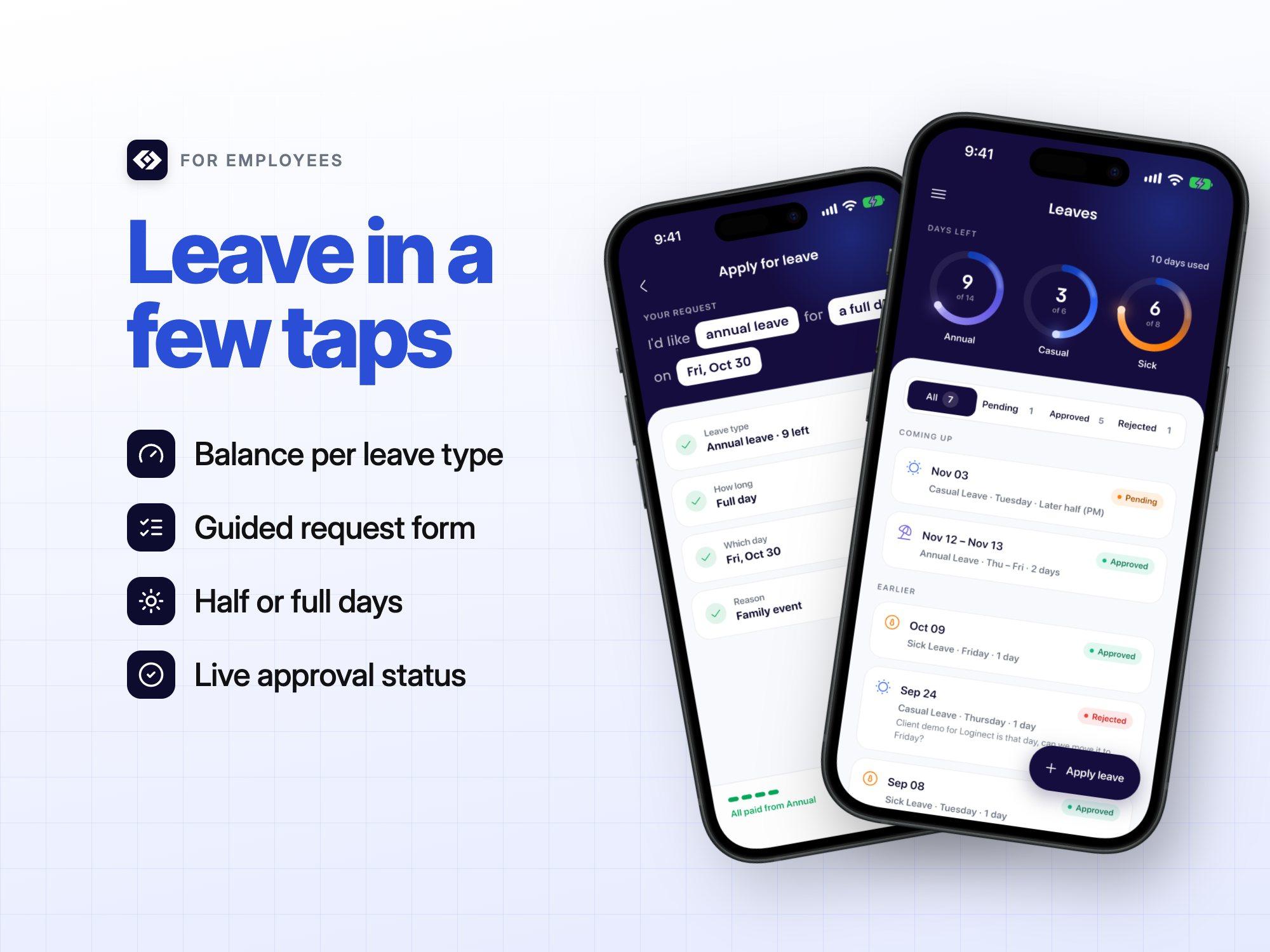
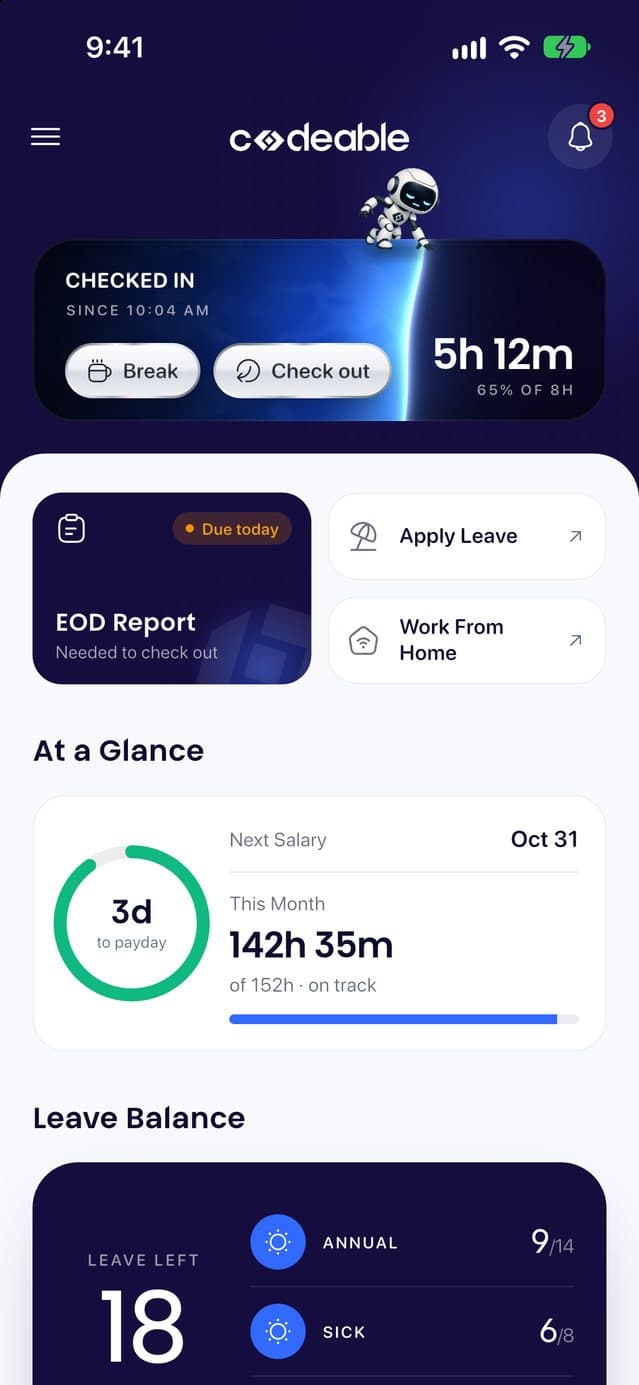
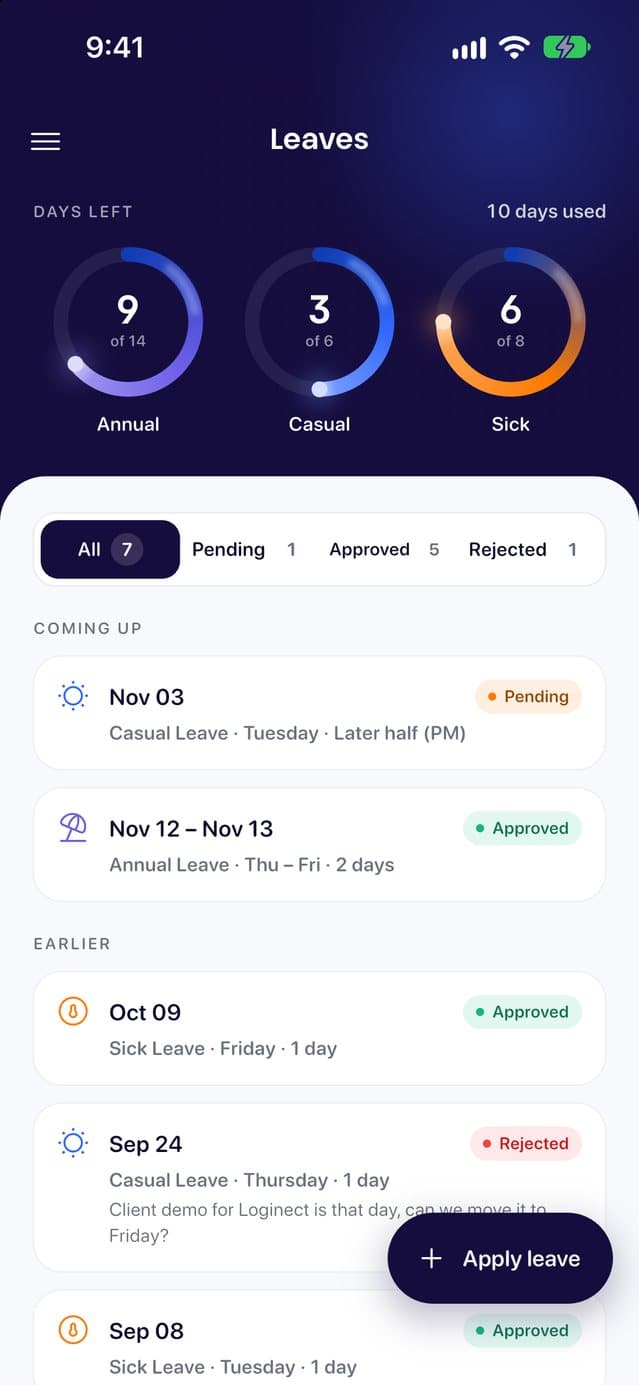
The home screen opens on a live check-in banner: check in, take a break, check out, with the shift's progress drawn by a custom shader. Applying for leave is a guided sentence in four steps, the type, full or half day, the date and a reason chip, with balance rings for annual, casual and sick days above it.
The end-of-day report keeps a week strip of the days already sent, saves a draft, reminds you when today's is due and asks for four things: the project, what got done, any blockers and tomorrow's plan.
Build
Role-aware navigation over a plain, sturdy backend
The Flutter app gives employees, HR and admins their own navigation shells, with a guard that opens the Team hub only to department heads. Push notifications carry deep links, so a tap on a leave request opens that request rather than the home screen, including when the app was closed. Approving or rejecting a row in HR's attendance review removes it at once and puts it back if the server says no.
Behind it is a Node.js and Express API on MongoDB, with Google sign-in, validated requests, scheduled jobs for the daily and monthly routines, receipt uploads to S3 and push through Firebase.
Result
Payroll and company finance in the same pocket
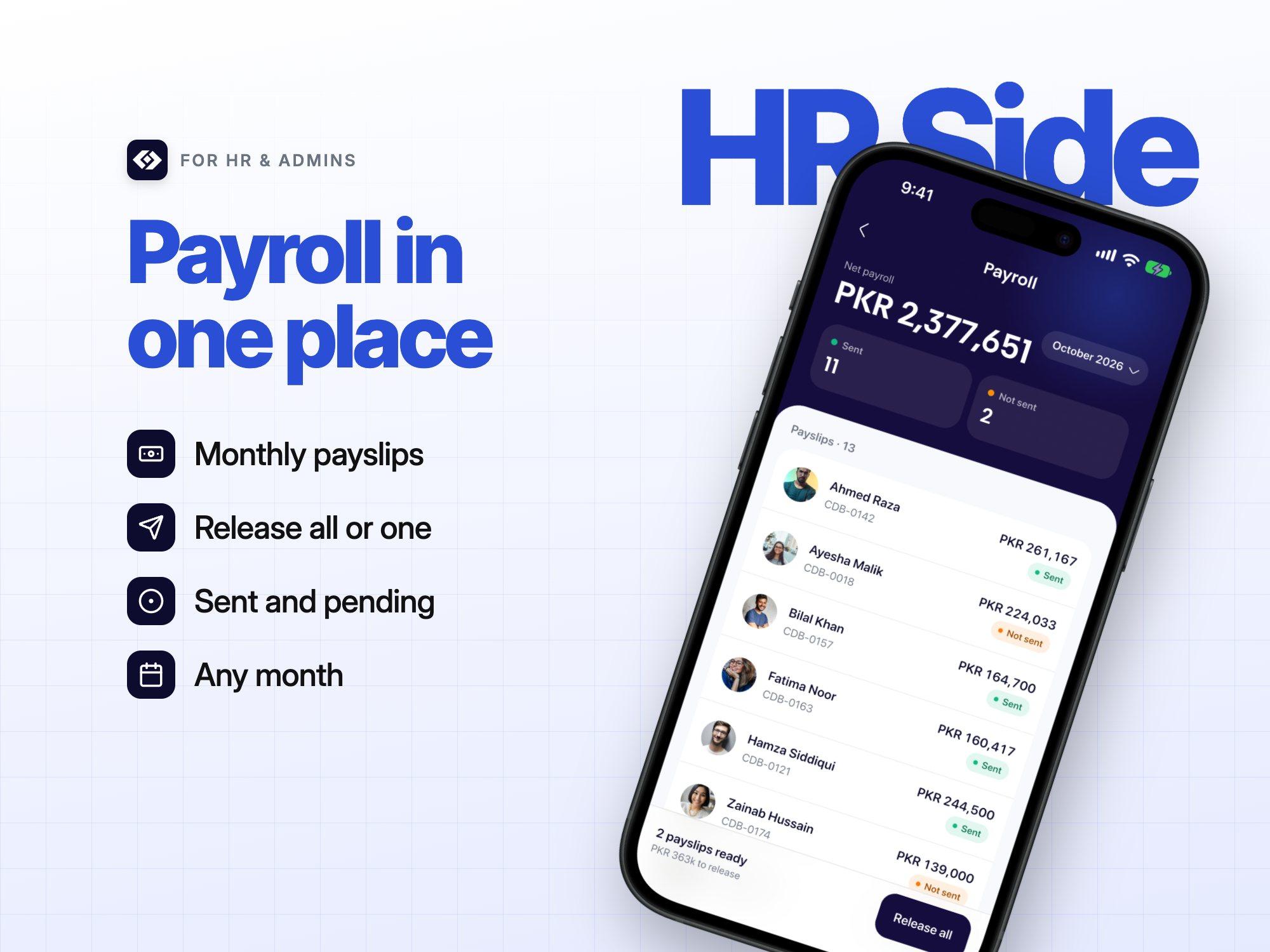
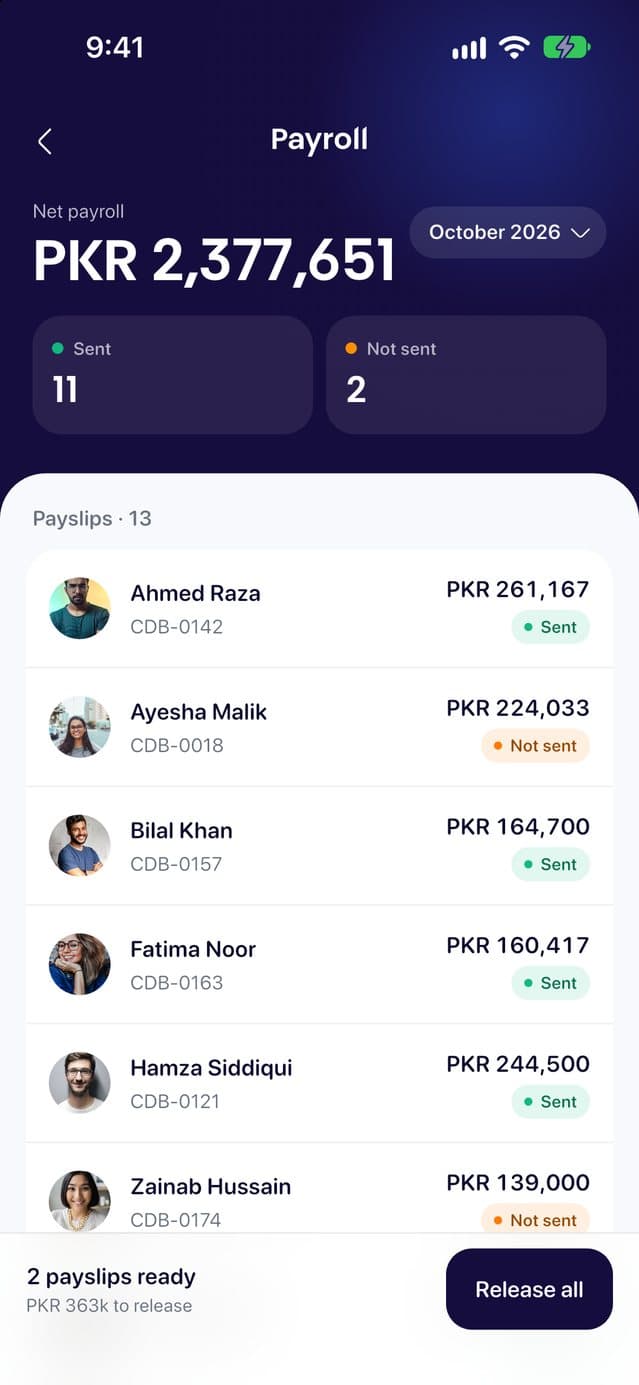
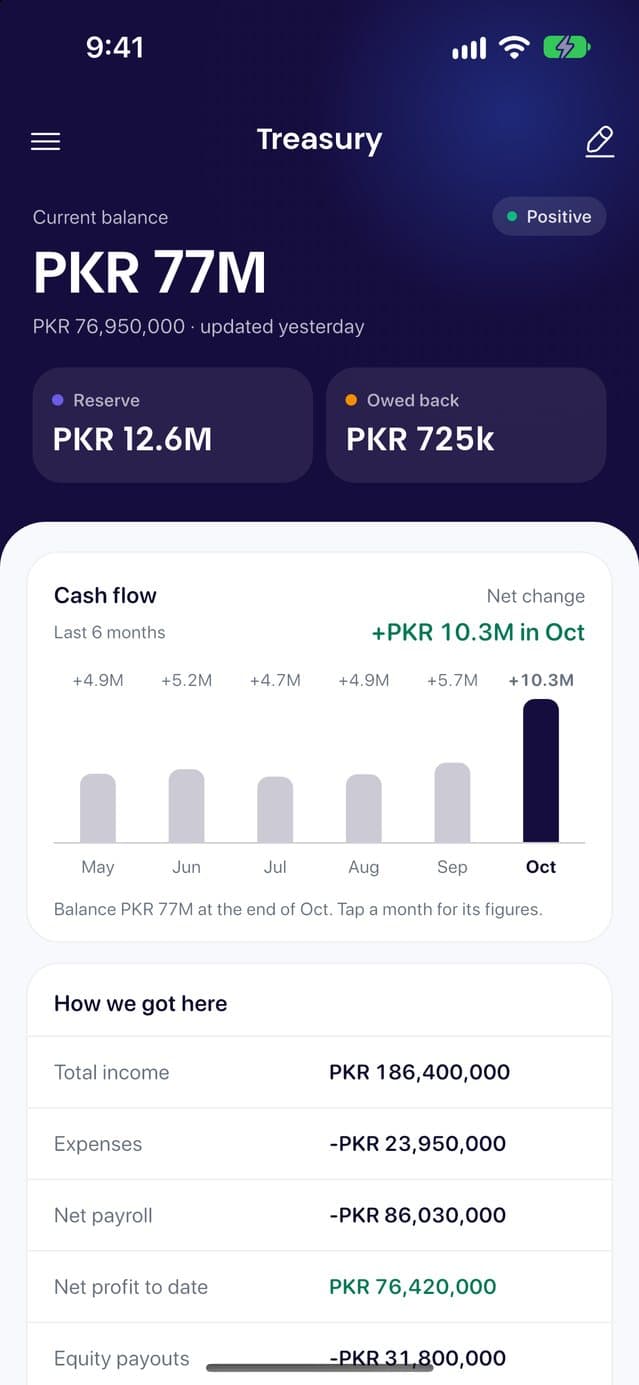
HR picks a month, checks each payslip, sees what has been sent and what has not, and releases them all at once. Employees see their salary broken down into basic pay, allowances, tax, provident fund and insurance, with their salary history. Admins get the treasury, a six-month cash-flow chart, expense analytics split into recurring and one-time spend, project income, loans and equity.
Codeable HR is live on the App Store and Google Play. No usage figures are published here, because none have been measured for this site.
Inside the app
Real screens, demo data
06Book a call
Building something like this?
Book thirty minutes and we'll tell you quickly whether we're the right team for it, and roughly what it takes.
- 01You pick the slot
- 02Bring anything you have
- 03We come prepared
Your idea stays yours. Read only by the people who would build it, never reused, never passed on. Happy to sign your NDA first.
Pick a time. We'll tell you what it takes.
Thirty minutes, no pitch deck. Bring a rough idea or a finished spec, and leave with a straight answer on scope, cost and whether we're the right team.
- 01You pick the slotA live calendar, not a queue. Most people find something inside forty-eight hours.
- 02Bring anything you haveA spec, a Figma link, screenshots, a competitor you like, or nothing at all.
- 03We come preparedWe read whatever you send beforehand, so the call starts at the interesting part.
Your idea stays yours
- What you share stays between you and the people on your project.
- We never reuse your concept, your research or your materials elsewhere.
- Happy to sign your NDA before the call, or send ours.
We read every brief and reply within 60 minutes.
Prefer to write? with your files instead, or email abdullahmughal1976@gmail.com.