Communication
Omaopa
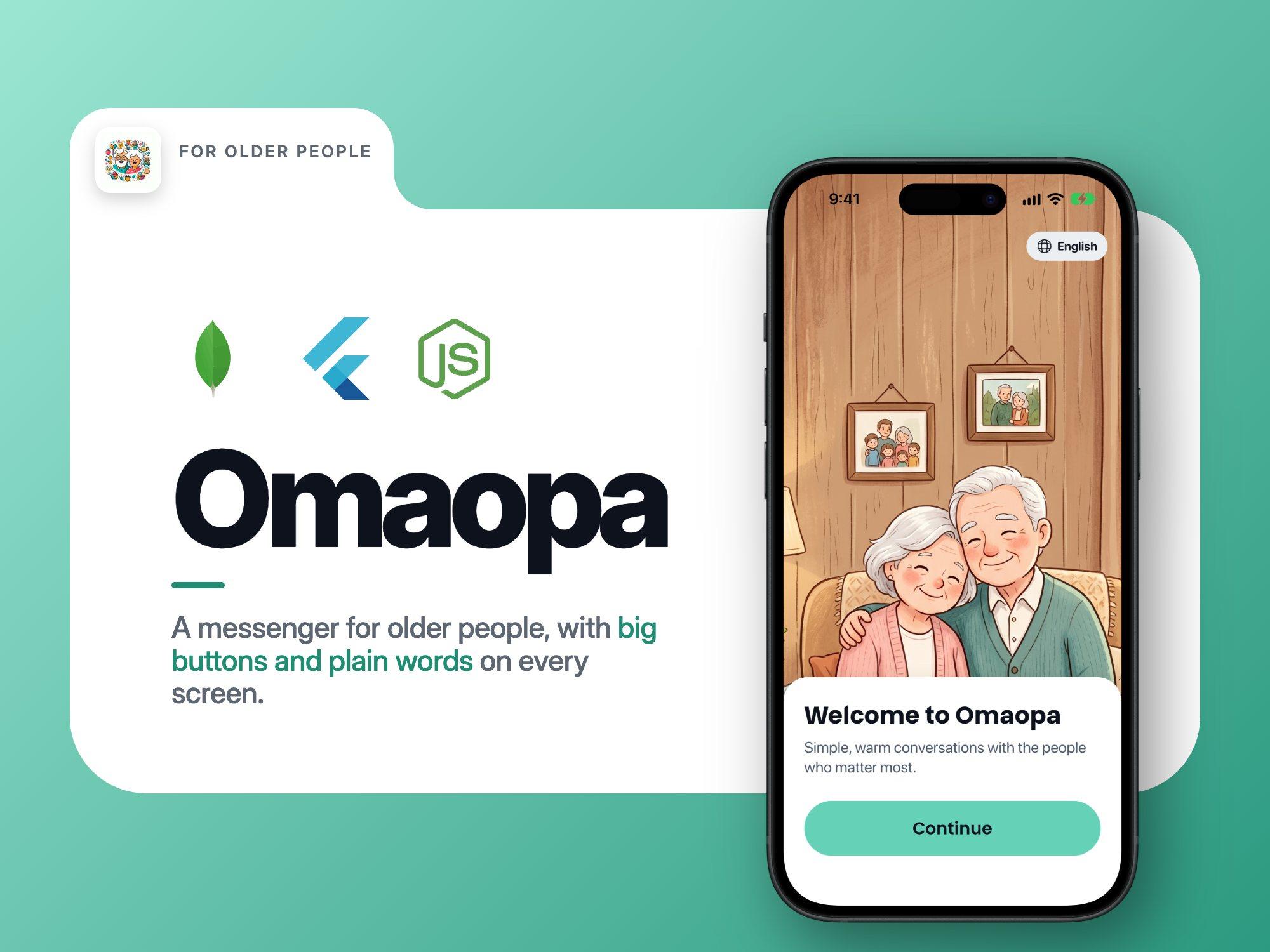
A messenger for older people, with big buttons, plain words and a question before every important step
- Industry
- Communication
- Product type
- Mobile application
- Period
- 2026
- Platforms
- iOS, Android
- Services
- Cross-platform ApplicationsBackend Systems
- Technology
- Flutter · Dart · BLoC/Cubit · GoRouter · Dio · GetIt · Hive · GetStream · WebRTC · CallKit · Firebase · Node.js · Express · MongoDB
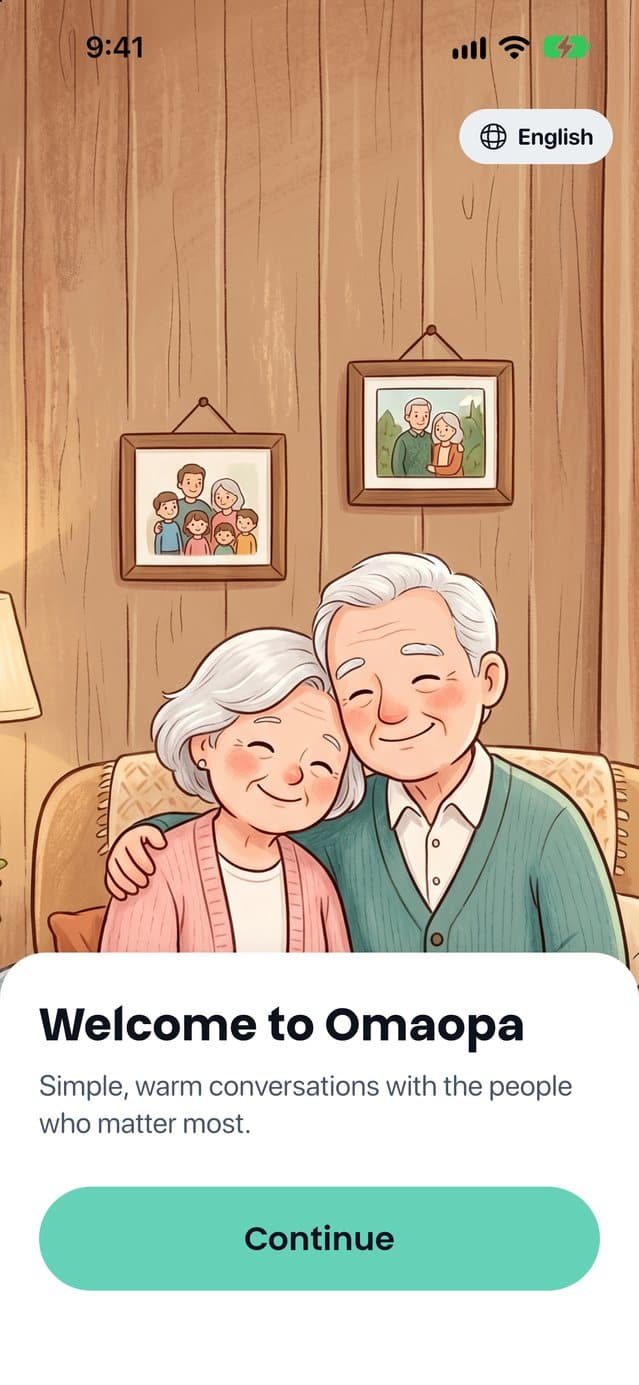
Omaopa lets older people keep in touch with family, friends and their doctor: text, photo and voice messages, plus voice and video calls. Every person opens onto four big round buttons, every important action asks first in plain words, and every screen has a help page that explains its buttons. The app is built and not yet published in the app stores.
- What we did
- Built the Flutter app in English and German, with chat and calls on GetStream behind a fully custom interface, and the Node.js backend that signs users in, issues chat tokens and manages conversations.
- Outcome
- Built and not yet in the app stores. Every control is at least 64 points across, and nothing irreversible happens without a plain yes or no.
Draft write-up. The product and the screens are real; this account of the work is a draft awaiting review by the team who built it, and by the client.
The problem
Ordinary messengers assume young eyes and steady hands
A popular messenger hides its actions behind small icons, swipes and long presses. For someone in their eighties that means a call started by accident, a chat left by mistake, or a message that never gets sent because the keyboard was too small to hit.
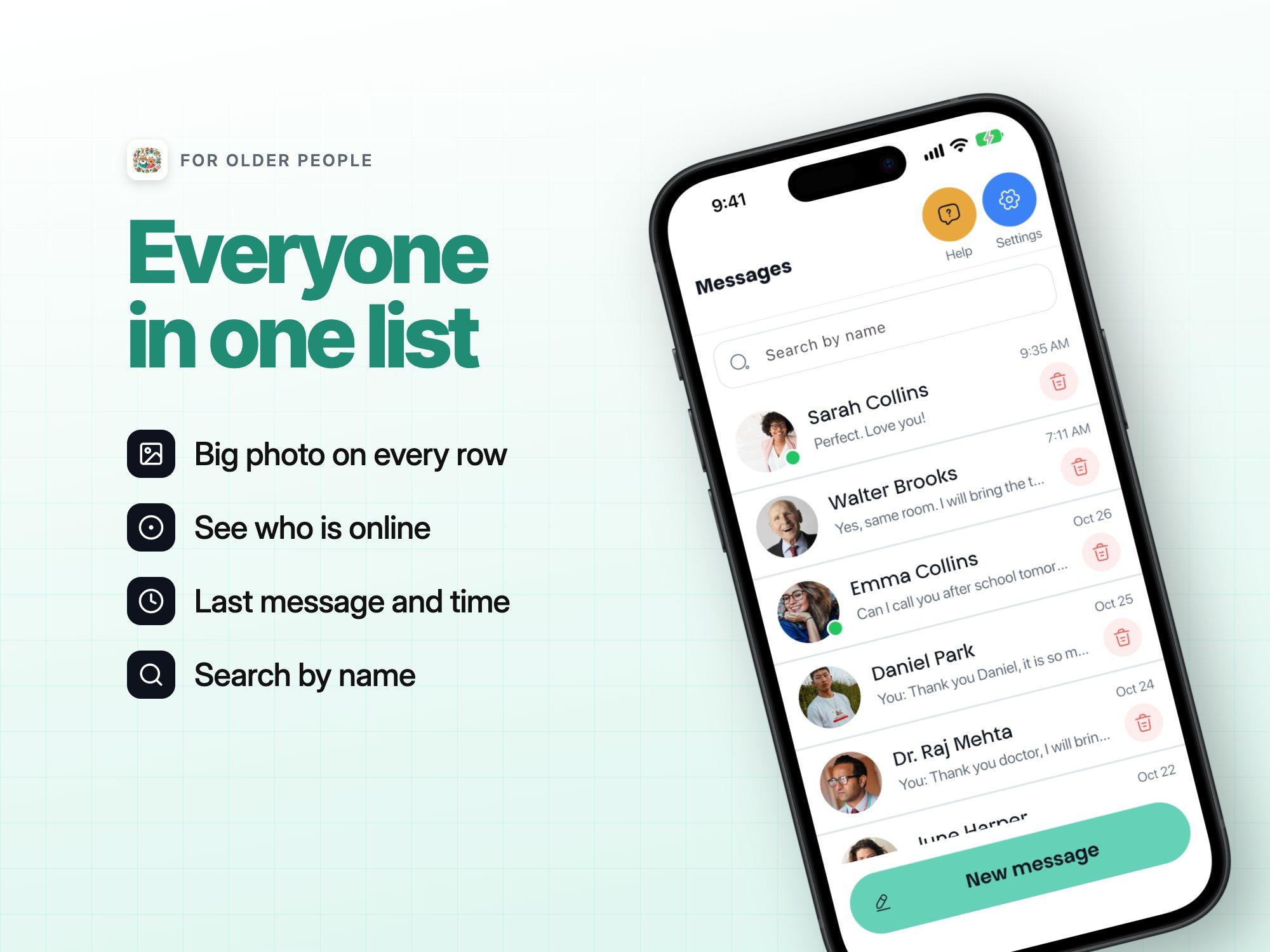
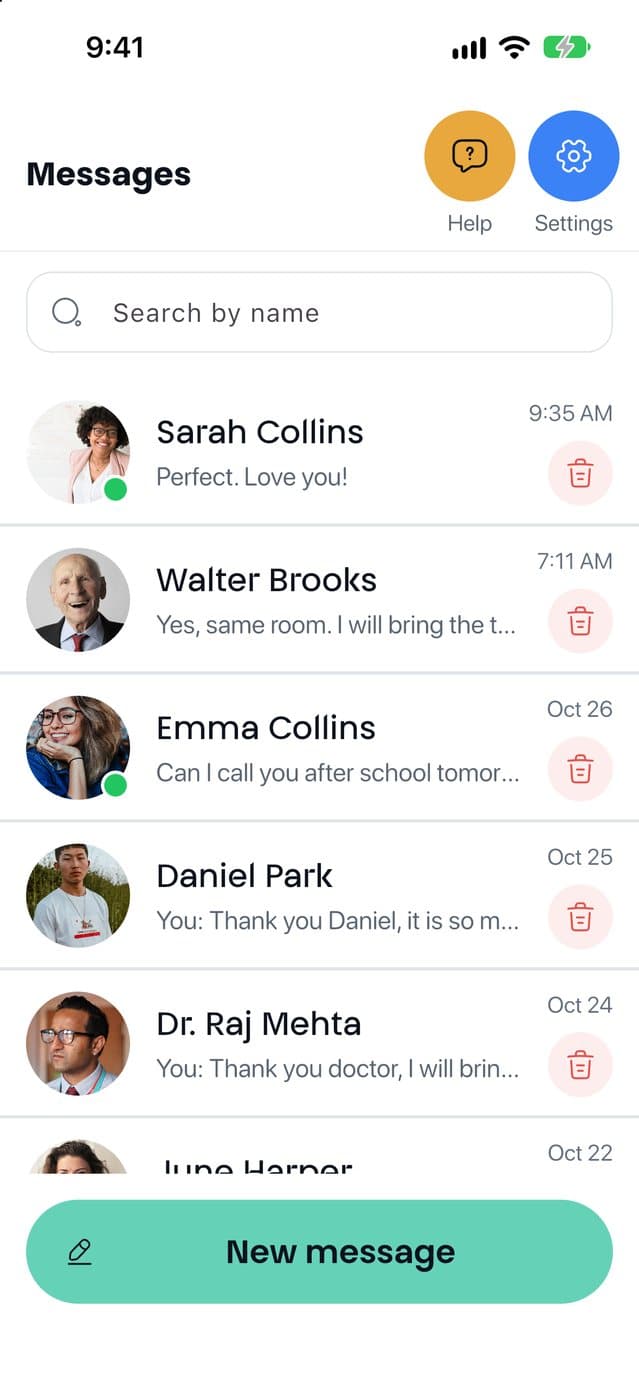
Omaopa was asked to do less, and to make each thing it does impossible to miss: one list of people, and for each person the same four ways to reach them.
The approach
One person, four big buttons
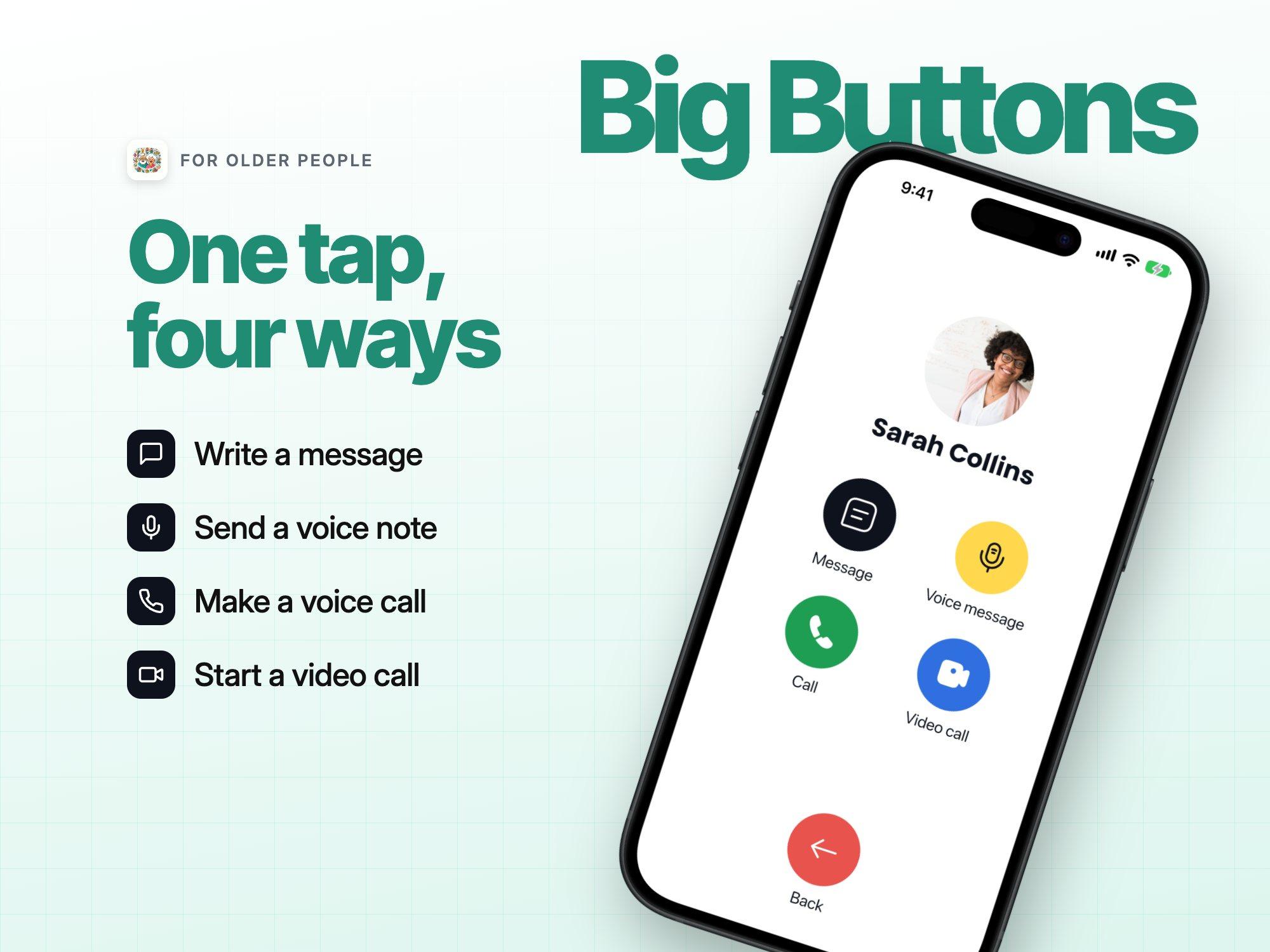
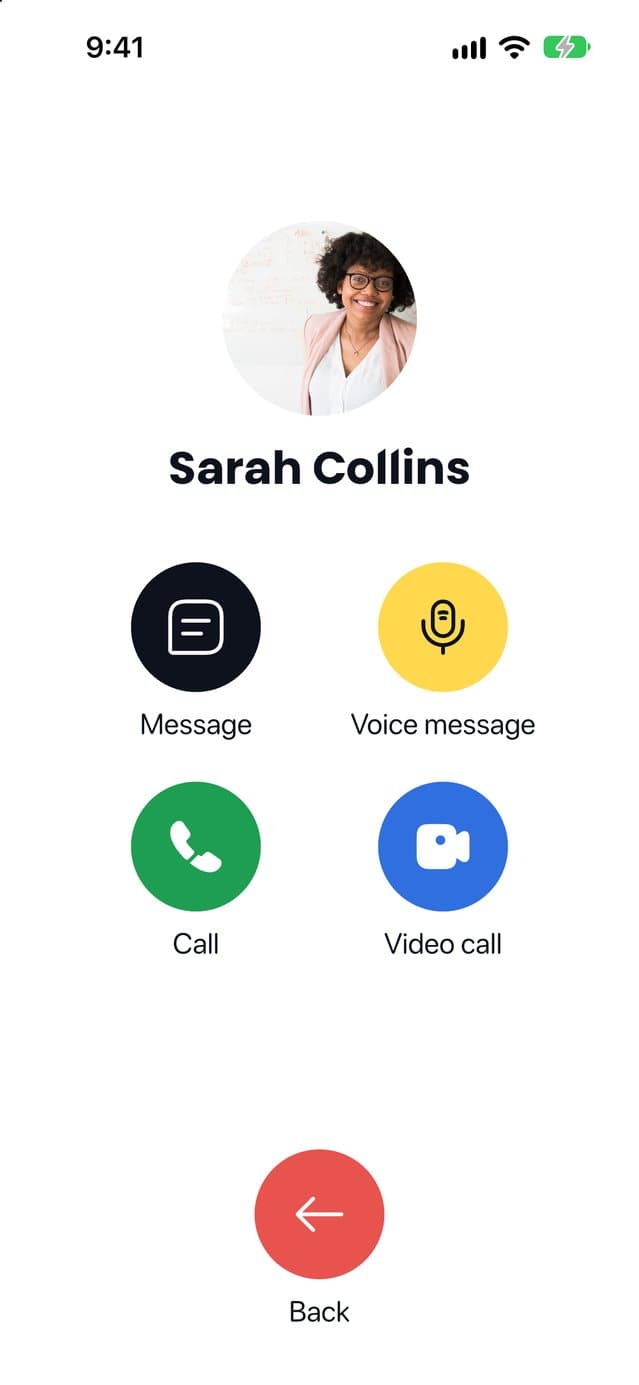
Tapping a name opens the same screen every time: Message, Voice message, Call and Video call as four round, colour-coded buttons with a label under each, and a big red Back button. There is nothing else to learn.
Every screen also carries a "How do I...?" page that explains each of its buttons in simple language, so the answer is always one tap away rather than a phone call to a grandchild.
Design
Hold to talk, let go to send
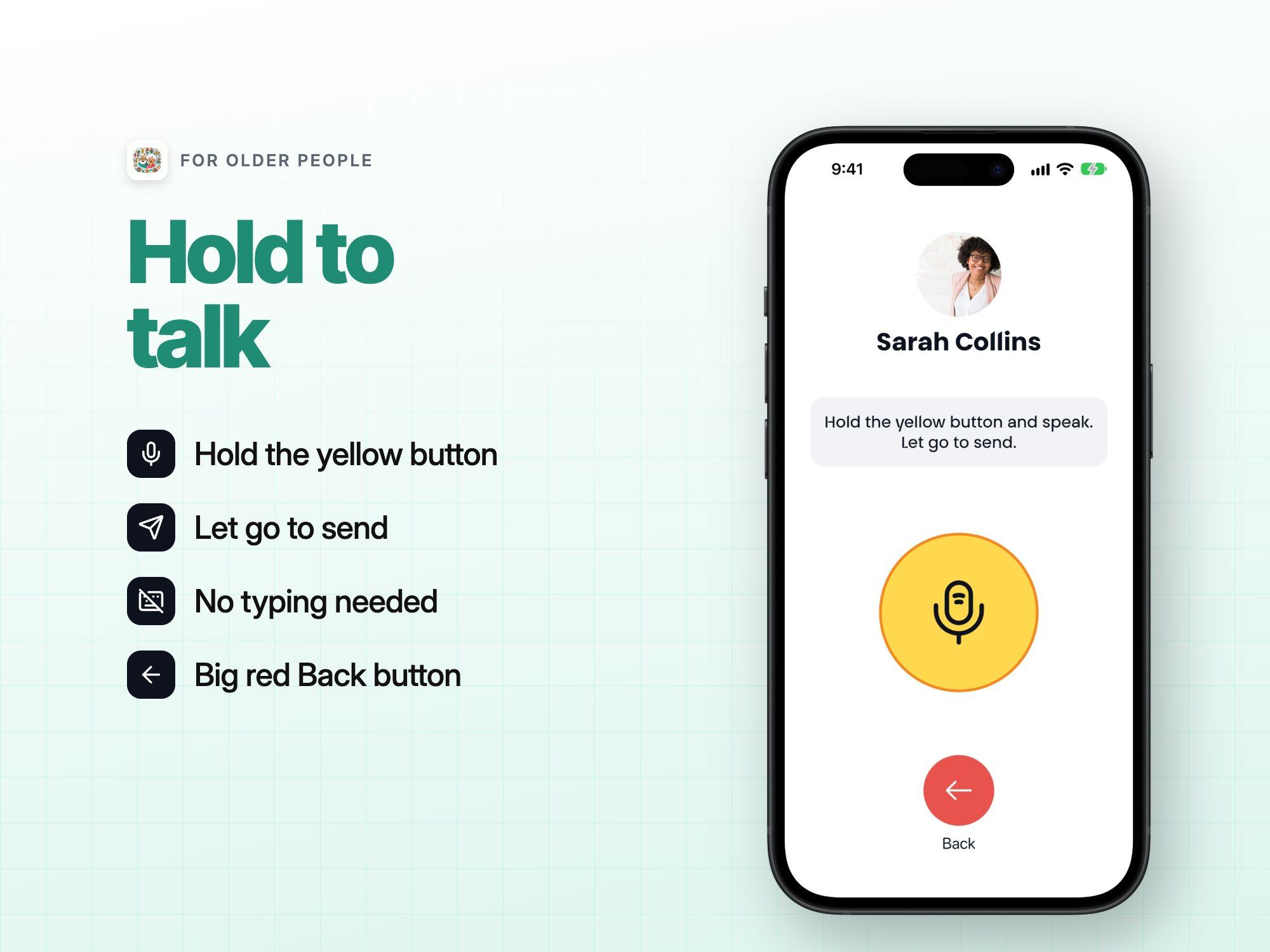
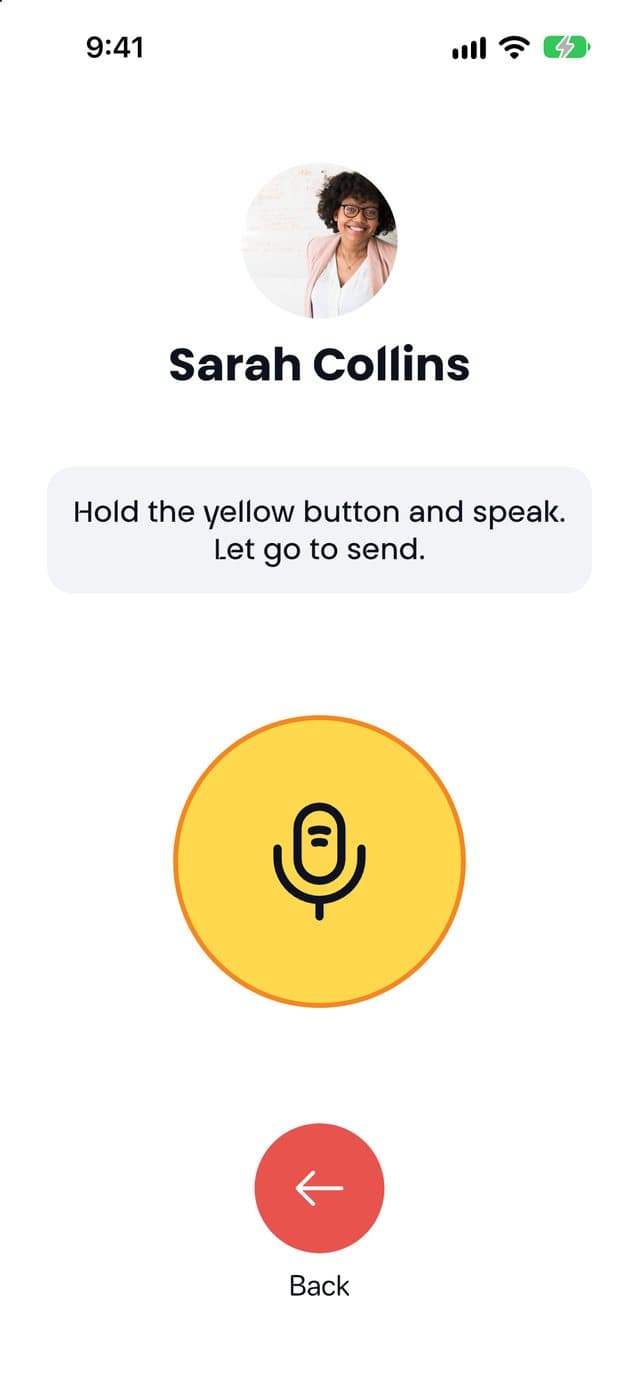
A voice message is the easiest thing to send when typing is hard, so it gets one huge yellow button. Hold it to record with a live timer, let go to send. A three-second "Sending to..." window offers Cancel, taps shorter than a second are ignored, and a recording stops at two minutes.
For when typing cannot be avoided, the app replaces the phone's keyboard everywhere with its own: large two-tone keys that light up the moment a finger lands, and a three-across digit pad for phone numbers.
Build
Calls that ring like a phone call, even on a locked iPhone
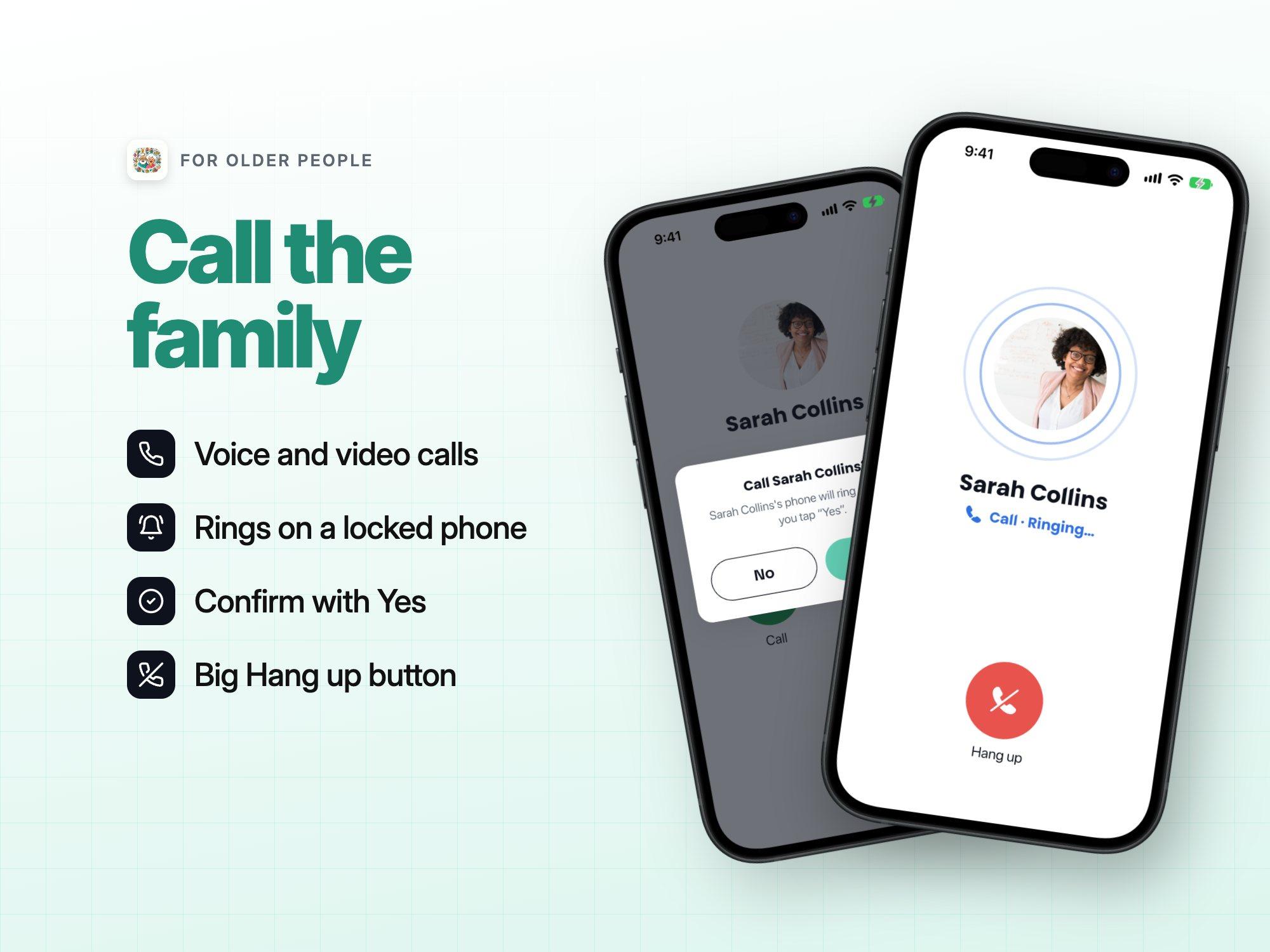
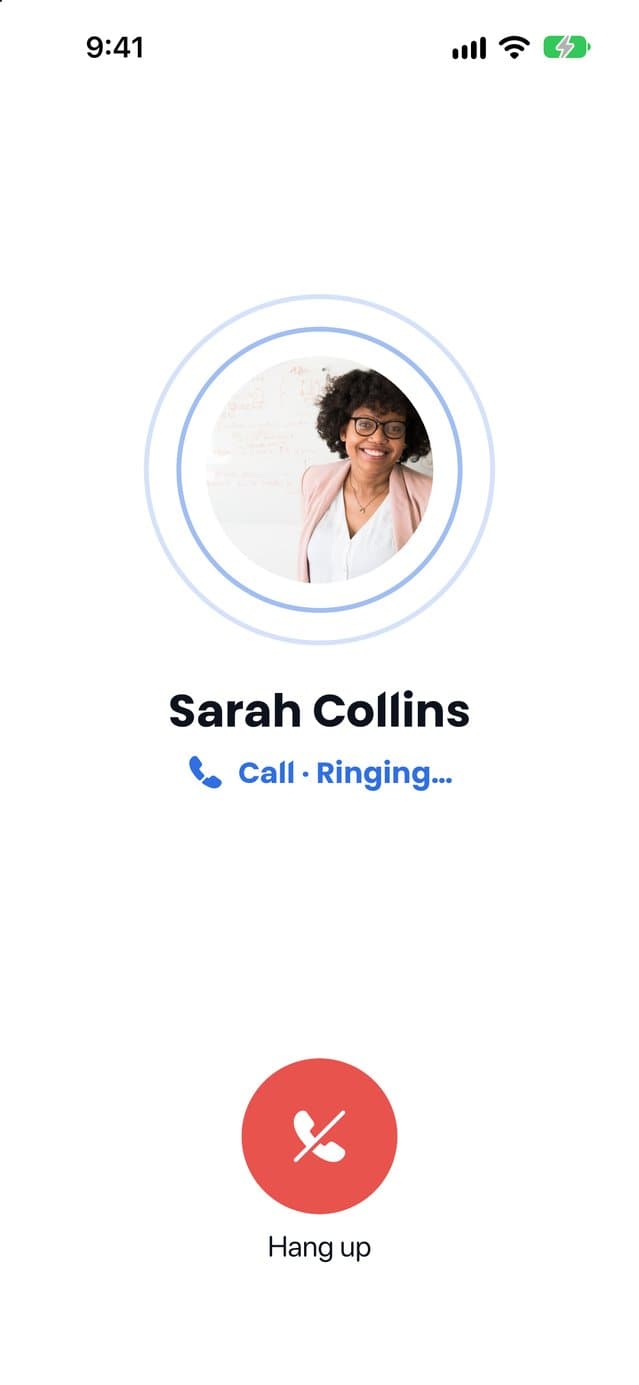
Voice and video calls run on Stream Video. On iOS they arrive by VoIP push on the native CallKit screen, even when the app is closed or the phone is locked, and the app uses CallKit while open too so a call never rings twice. Answering opens straight into the call, and a video call turns on the camera and loudspeaker once it connects.
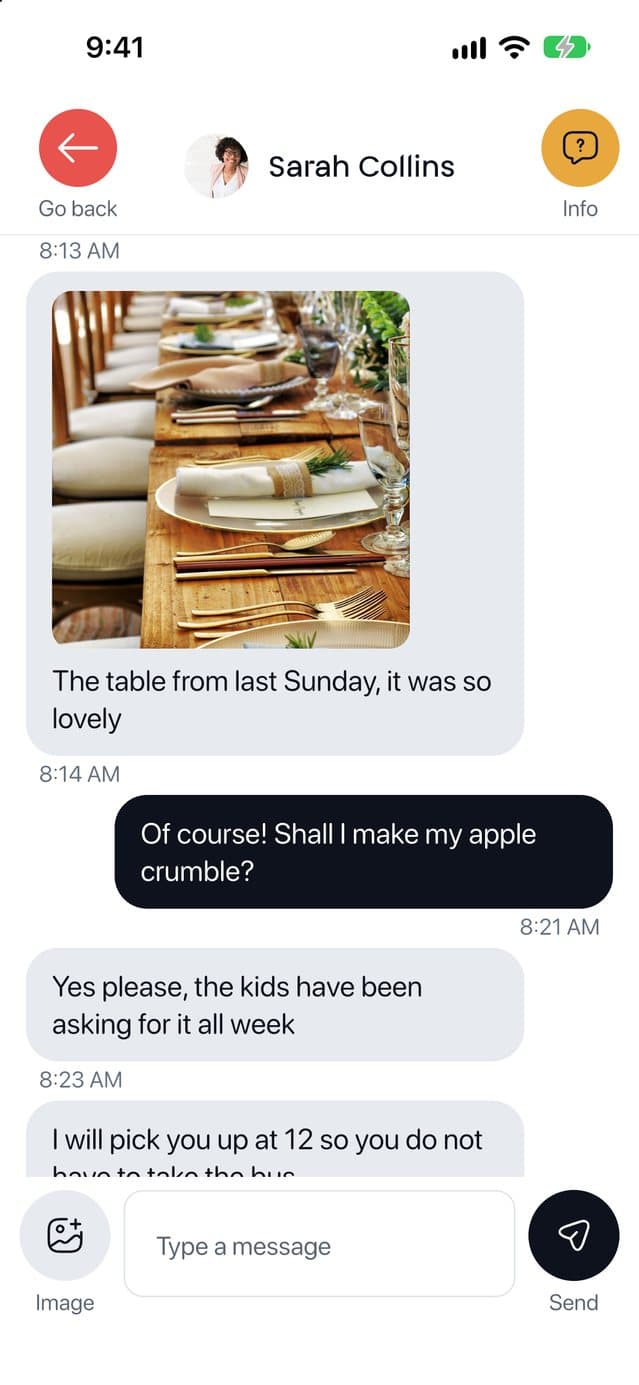
Chat runs on the Stream Chat client with no Stream interface kit: every list, bubble and voice player was drawn for this app. A Node.js and MongoDB backend handles sign-in by email, Google or Apple, issues the Stream tokens and manages the conversations.
Result
Nothing important happens by accident
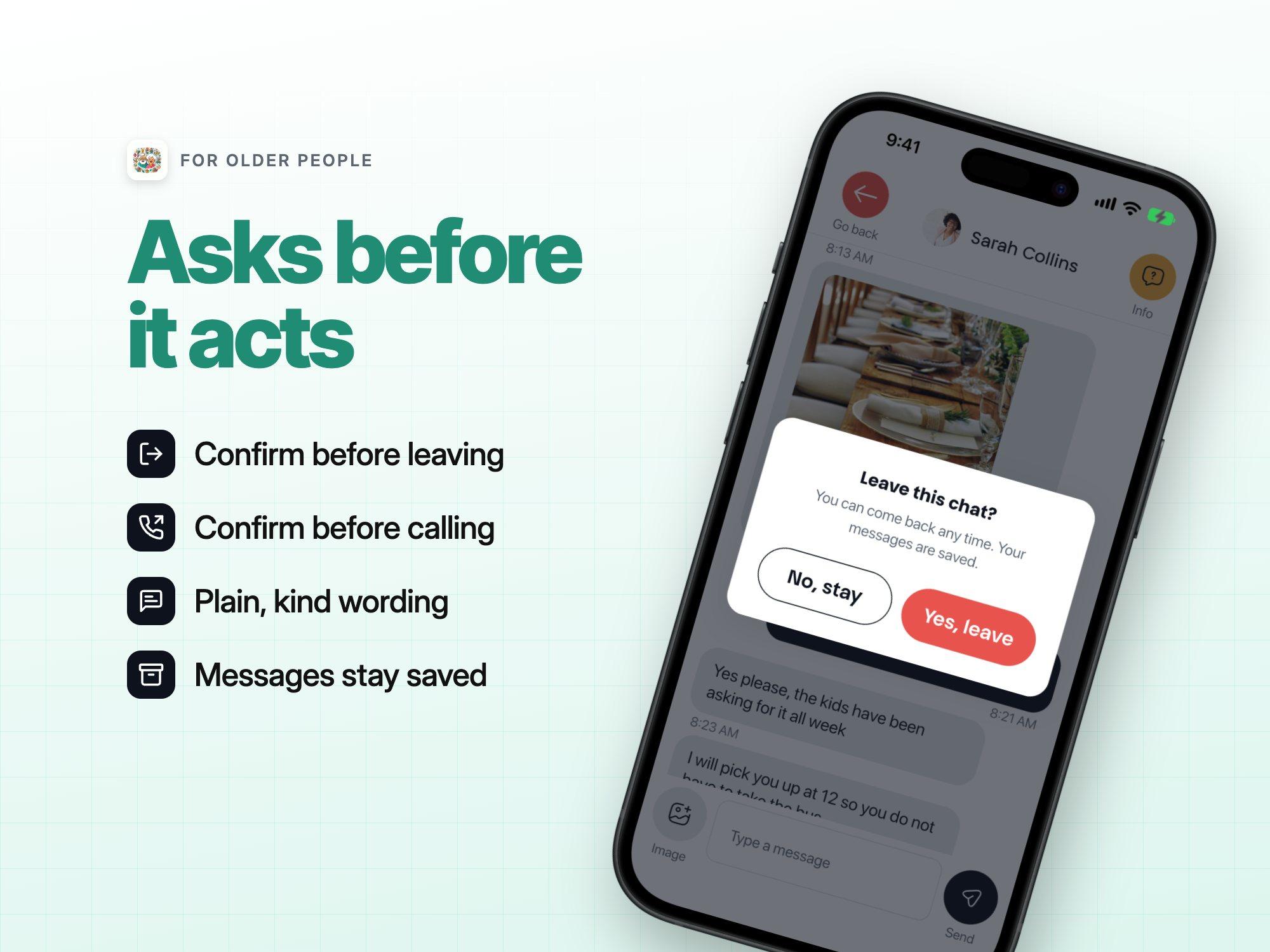
Leaving a chat or starting a call asks first, in plain words, with a clear yes and no. Tap targets are 64 points, text is larger than usual, contrast meets WCAG AA, every icon button has a label under it and a screen-reader label, and the whole app works in English and German.
The app is built and has not been published in the app stores. No usage figures are published here, because none have been measured for this site.
Inside the app
Real screens, demo data
06Book a call
Building something like this?
Book thirty minutes and we'll tell you quickly whether we're the right team for it, and roughly what it takes.
- 01You pick the slot
- 02Bring anything you have
- 03We come prepared
Your idea stays yours. Read only by the people who would build it, never reused, never passed on. Happy to sign your NDA first.
Pick a time. We'll tell you what it takes.
Thirty minutes, no pitch deck. Bring a rough idea or a finished spec, and leave with a straight answer on scope, cost and whether we're the right team.
- 01You pick the slotA live calendar, not a queue. Most people find something inside forty-eight hours.
- 02Bring anything you haveA spec, a Figma link, screenshots, a competitor you like, or nothing at all.
- 03We come preparedWe read whatever you send beforehand, so the call starts at the interesting part.
Your idea stays yours
- What you share stays between you and the people on your project.
- We never reuse your concept, your research or your materials elsewhere.
- Happy to sign your NDA before the call, or send ours.
We read every brief and reply within 60 minutes.
Prefer to write? with your files instead, or email abdullahmughal1976@gmail.com.